


What is OpenID Connect and why does it matter?
If you have ever been asked "What is OpenID Connect" in a technical interview, you know it is easy to get lost in the alphabet soup of OAuth and JWTs. OpenID Connect (OIDC) is an identity layer that sits right on top of the OAuth 2.0 framework. It allows your application to verify who a user is based on the authentication performed by an Authorization Server.
In my experience, teams often struggle to separate "who you are" from "what you can do." OIDC handles the "who" part. It standardizes how we sign users in and get their profile data. Instead of building a custom login system for every app, we can use a single, secure method to connect with providers like Okta, Azure AD, or even Salesforce.
That is what makes federated sign-in manageable. OIDC uses standard REST/JSON and JWT-based protocols, which means it works the same way whether you are building a mobile app or a complex Salesforce API integration.
The core concepts you need to know
- Identity Provider (IdP): the server that handles the login and issues the tokens. Think of Salesforce or Google.
- Relying Party (RP): your application. It relies on the IdP to tell it who the user is.
- ID Token: a JSON Web Token (JWT) that contains the user's identity details.
- Access Token: this is for authorization. It lets you call protected APIs.
- Refresh Token: a long-lived token used to get new access tokens without making the user log in again.
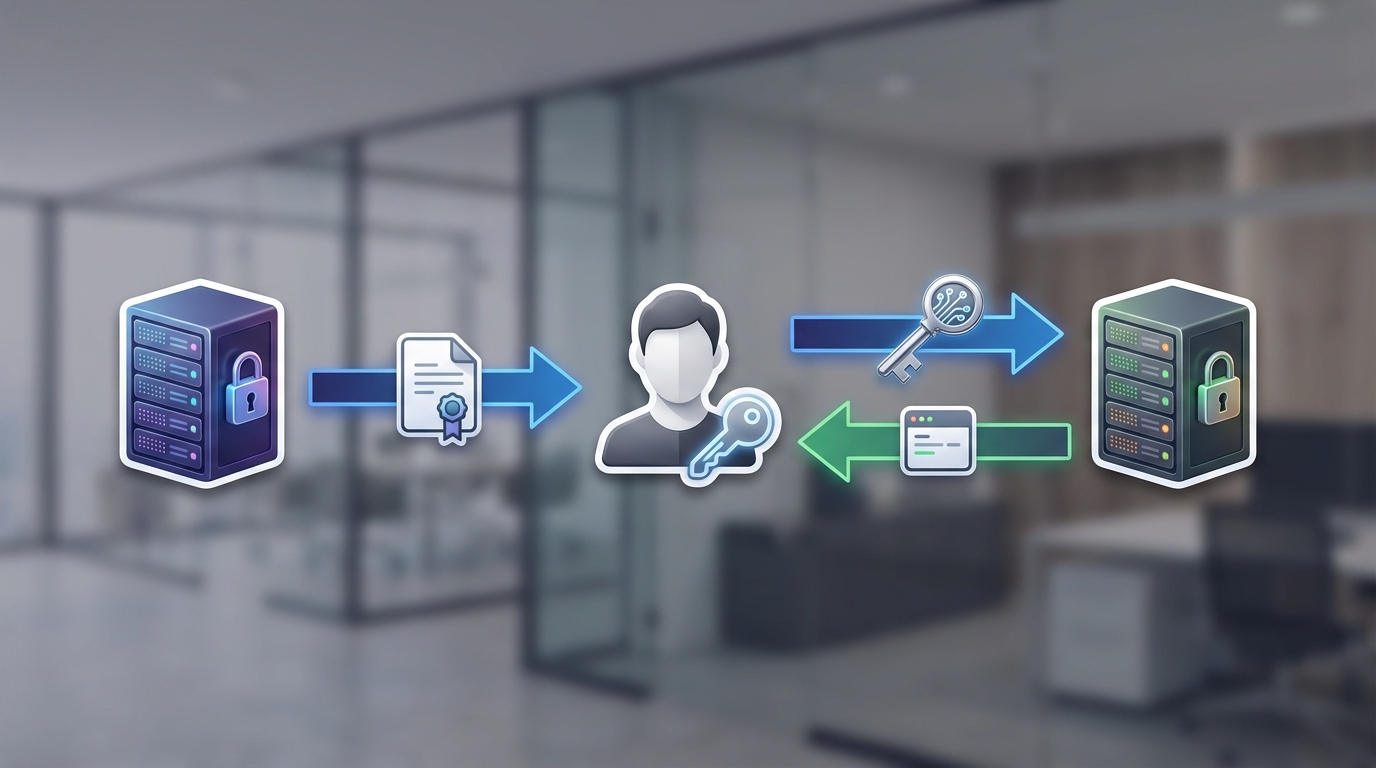
A professional technical architecture diagram illustrating the flow of identity and access tokens between a user and a cloud server.
Understanding OpenID Connect vs OAuth 2.0
This is the part that usually trips people up. OAuth 2.0 is strictly about authorization. It is like a valet key for a car: it lets someone drive the car, but it doesn't tell them who the owner is. OIDC adds that identity layer on top. It provides a standardized ID token and discovery metadata so your app knows exactly where to look for user info.
I have seen plenty of developers try to use the Salesforce JWT flow or other OAuth flows to handle identity without OIDC, and it usually ends with them writing a bunch of extra code to fetch user profiles. OIDC gives you that "UserInfo" endpoint out of the box. It makes life much easier.
Never use an Access Token to identify a user. Access tokens are opaque to the client and meant for the API. Always use the ID Token for identity verification.
How OpenID Connect actually works
When you implement OIDC, there are a few key endpoints you will interact with. The Authorization Endpoint is where the user actually types in their password. Once they are authenticated, the Token Endpoint is where you exchange a code for your tokens. The Discovery Endpoint (usually found at .well-known/openid-configuration) tells your app everything it needs to know about the provider's setup.
The ID Token itself is a JWT with three parts: a header, a payload, and a signature. The payload contains "claims," which are just pieces of info about the user. Here is what a typical decoded payload looks like:
{
  "iss": "https://idp.example.com",
  "sub": "248289761001",
  "aud": "your-client-id",
  "exp": 1311281970,
  "iat": 1311280970,
  "name": "Jane Doe",
  "email": "[email protected]"
}
Common authentication flows
So which flow should you use? For most modern web apps and SPAs, the Authorization Code Flow with PKCE is the gold standard. It is far more secure than the old Implicit Flow, which I honestly wouldn't recommend for any new project. If you are doing machine-to-machine work, you might see Client Credentials, but remember that OIDC is specifically for when a human user is involved.
Best practices and security
Security isn't something you can just "set and forget." When you are working with OIDC, you have to validate that ID token every single time. Check the issuer (iss) to make sure it came from your trusted IdP, check the audience (aud) to ensure it was meant for your app, and always verify the signature.
Always use HTTPS too. It sounds obvious, but you would be surprised how many times I have seen metadata or keys fetched over insecure connections during development. If you are preparing for Salesforce developer interview questions, being able to explain why we use PKCE for public clients is worth rehearsing.
Key takeaways
- OIDC is an identity layer built on top of OAuth 2.0.
- The ID Token is the "source of truth" for who the user is.
- The Discovery Endpoint makes it easy to configure your app automatically.
- Always prefer the Authorization Code Flow with PKCE for security.
- OIDC standardizes scopes like "openid", "profile", and "email".
Wrapping it up
OIDC is a way to make sure everyone is speaking the same language when it comes to identity. It saves you from writing custom auth logic and keeps your users' data a lot safer. If you are building on Salesforce, chances are you are already using it without even realizing it. Start by looking at your own org's discovery URL and see what features are supported.

Leave a Comment