


If you've spent more than five minutes in the Setup menu, you've probably had to decide between static and Salesforce dynamic dashboards. It's one of those choices that seems small until your VP of Sales asks why they can't see their team's numbers, or worse, why a junior rep is seeing the entire company's pipeline.
I've seen teams get this wrong all the time. They either build fifty versions of the same dashboard, or they accidentally expose sensitive data because they didn't understand the "View Dashboard As" setting. Understanding that one setting is what saves you a weekend of rebuilding reports.
Why Salesforce dynamic dashboards exist
It comes down to security context. A static dashboard is like a printed map; everyone looks at the same thing. You set it to "Run as a specified user" (usually someone with high-level access), and every single person who opens that dashboard sees the data through that person's eyes. A new intern and the CFO both see exactly what the specified user sees.
Salesforce dynamic dashboards are more like a mirror. When I log in, I see my records. When you log in, you see yours. They respect the sharing model you've already spent hours setting up. If you're still wrapping your head around security basics, check out this breakdown of Salesforce roles vs profiles to see how record visibility actually works.
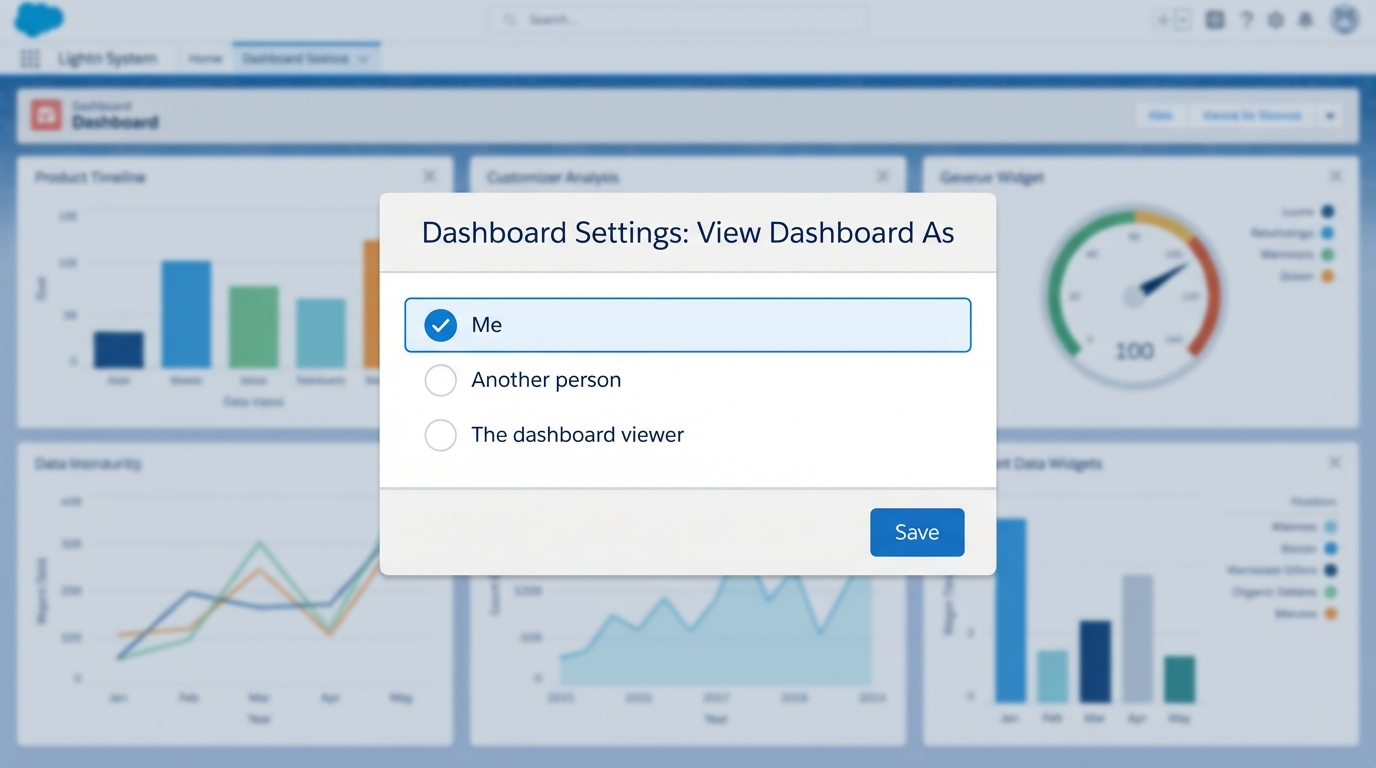
A realistic UI mockup of a Salesforce dashboard configuration panel showing visibility and user view settings.
Salesforce dynamic dashboards and the edition limits
Before you go and turn every single dashboard in your org into a dynamic one, we need to talk about limits. This is probably the most overlooked restriction in the system. Salesforce isn't giving these away for free, and most editions have a very strict cap on how many you can have.
For example, Enterprise edition usually gives you 5, and Unlimited gives you 10. I've been in situations where a client wanted a personalized view for every single department head, and we hit the limit by Tuesday afternoon. So you have to be strategic. Don't use a dynamic setup for a global KPI board that everyone should see the same way anyway. Save those precious slots for managers who actually need to switch between "My Team" and "Me" views.
If you're running out of dynamic slots, try dashboard filters on a static dashboard first. Sometimes a simple "Owner" filter can do 90% of the work without hitting your org limits.
When to stick with static
Static dashboards are your best friend for executive rollups. If the Board of Directors wants to see the total company revenue, they don't want a "personalized" view. They want the big number. And since static dashboards run as one person, you don't have to worry about weird data gaps because a manager forgot to share a folder. Before you even start building, make sure your Salesforce report types are set up correctly, or your dashboard components won't show the right fields.
When to go dynamic
Go dynamic when you have a "Sales Manager" dashboard. Instead of creating "Sales Manager - East," "Sales Manager - West," and "Sales Manager - Central," you build one. When the East manager opens it, they see the East team. It saves you a massive amount of maintenance work, and sometimes the simplest tool for the job is the right call.
How to actually set it up
It's easy to find, and easy to miss if you're rushing:
- Open your dashboard and hit Edit.
- Click the Gear Icon (Dashboard Properties).
- Look for the View Dashboard As section.
- Select The dashboard viewer for a dynamic view, or Another person for a static view.
- Save it and test it. (Seriously, log in as another user to make sure they see what they're supposed to).
Key takeaways
- A static dashboard runs as one person, so everyone sees the same data. Great for company-wide KPIs.
- A dynamic dashboard runs as the logged-in user and respects individual sharing rules. Great for managers and reps.
- You only get a few dynamic slots per org. Use them wisely.
- Dynamic views reduce the number of dashboards you have to manage, but they are harder on your org limits.
One thing that trips people up is the "View My Team's Dashboards" permission. If your managers can't see their reps' data on a dynamic dashboard, check their permissions first. It's usually a simple fix in the profile or a permission set. Pick the version that makes your life easier and keeps your data secure. If you can get away with a static dashboard and a few filters, do it. If you need true, hands-off personalization, go dynamic.



Leave a Comment