

Why Salesforce Flow bulkification keeps your org alive
If you’ve spent any time building automation, you know that Salesforce Flow bulkification isn’t just a suggestion – it’s a survival skill. I’ve seen plenty of flows work perfectly in a sandbox with one record, only to fall apart the second a Data Loader import hits production. Salesforce processes records in batches, and if your flow isn’t ready for that, you’re going to see those dreaded governor limit errors.
The platform is built to handle many operations at once. When your flow processes records one by one, you’re basically asking the server to do a hundred small chores instead of one big one. That’s how you hit SOQL and DML limits fast. We need to design for the crowd, not the individual.
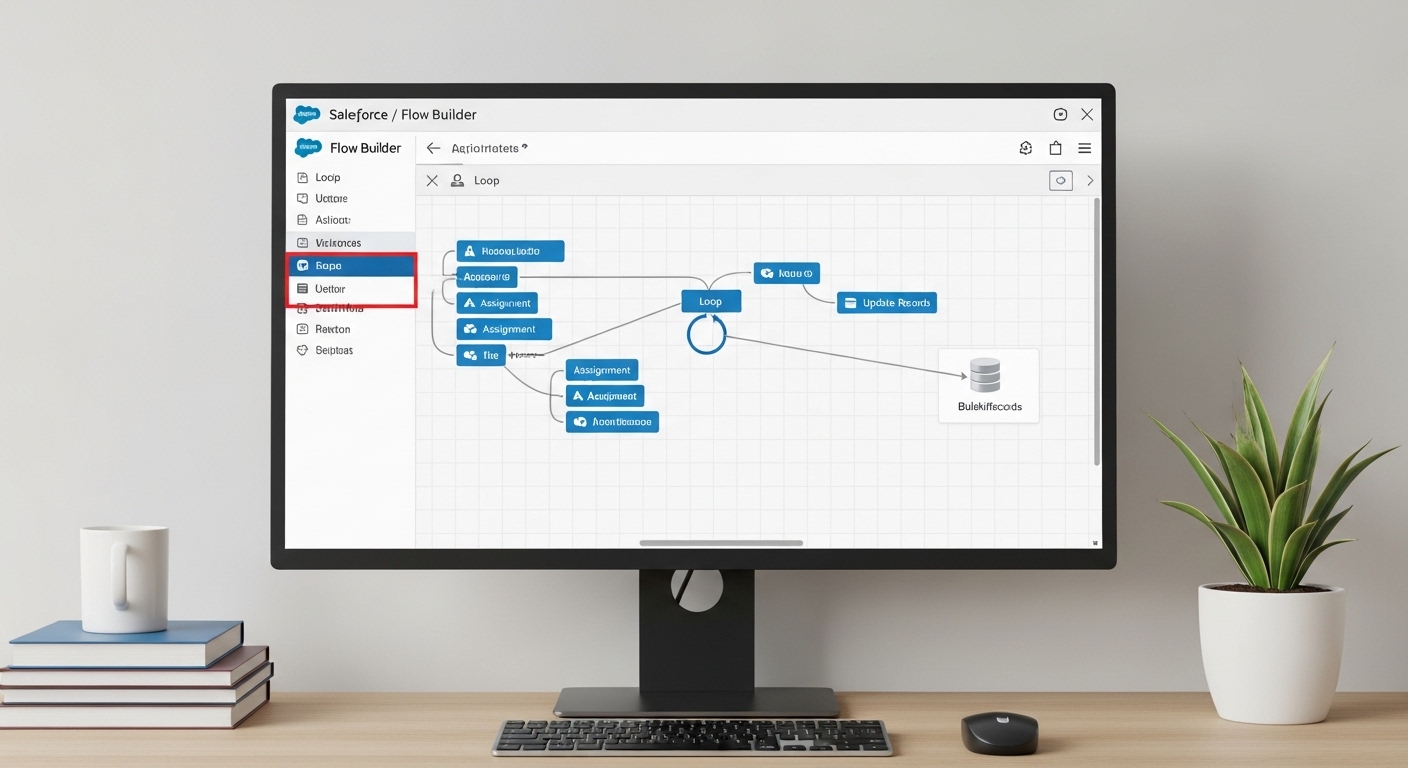
The core rules of Salesforce Flow bulkification
Look, the math is simple. You get 101 SOQL queries and 150 DML statements per transaction. If you put a “Get Records” or “Update Records” element inside a loop, and that loop runs for 200 records, you’ve already lost. Here’s how I usually explain the ground rules to my team:
- No database calls in loops: This is the golden rule. Never put a Get, Create, Update, or Delete element inside a loop. Period.
- Think in collections: Instead of updating a record inside a loop, add it to a collection variable. You do the work in the loop, then you hit the database once at the very end.
- Work before the save: Before-save flows are incredibly fast because they don’t even need a DML statement to update the triggering record.
- Know your limits: If you’re dealing with massive amounts of data, sometimes a flow isn’t the right tool. You might need to look at large data volumes strategies to keep things moving.
How different flows handle bulk data
Not all flows are created equal. Record-triggered flows are the most common place where bulk issues pop up. When someone updates 200 accounts via the API, Salesforce triggers 200 flow interviews. If those interviews are bulkified, Salesforce is smart enough to batch those database operations together.
Scheduled flows are another animal. They’re great for cleaning up data overnight, but you still have to be careful with how you query. I’ve found that using collection-based actions is the only way to keep these reliable when the record count starts climbing into the thousands.
Mastering Salesforce Flow bulkification in the real world
So what does this actually look like when you’re staring at the canvas? Let’s break down the tactics that actually work. One thing that trips people up is trying to find a specific record inside a collection without querying. It’s tempting to just drop a “Get Records” in there, but don’t do it. Use an assignment element to build your list instead.
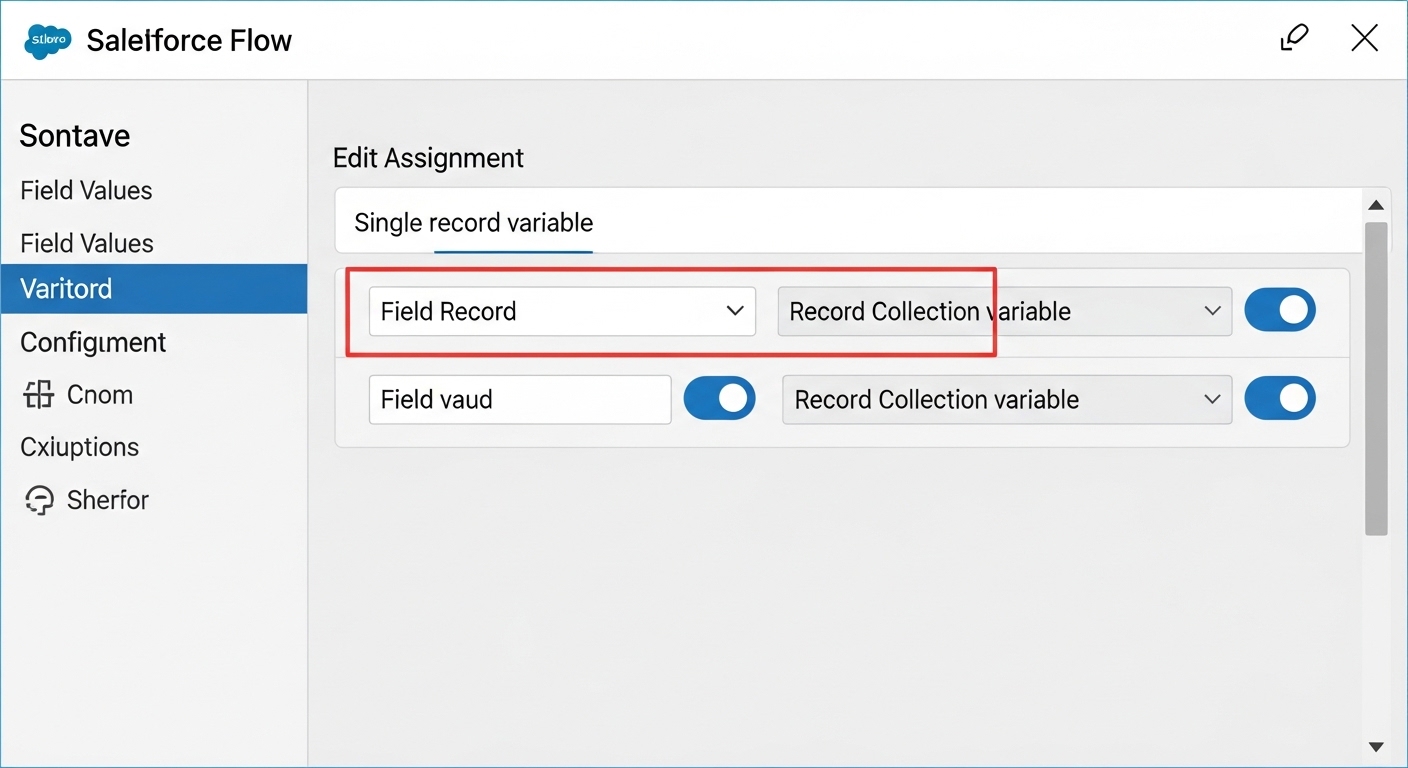
1. Use collection variables for everything
This is probably the most overlooked feature by beginners. You want to use a Record Collection Variable to hold everything you plan to change. Inside your loop, use an Assignment element to set the field values on a single record variable, then use a second Assignment to “Add” that record to your collection. Once the loop finishes, use one “Update Records” element on that collection. It’s much cleaner and way faster.
2. Favor Before-Save flows for field updates
Honestly, most teams get this wrong. If you’re just updating fields on the record that triggered the flow, use a “Fast Field Update” (before-save). These run before the record is even committed to the database. They don’t count against your DML limits, and they’re significantly faster. It’s a huge win for Salesforce Flow bulkification.
3. Offload the heavy lifting to Apex
Sometimes a flow just gets too complex. If you’re doing heavy math or trying to simulate maps to avoid nested loops, it’s time to call in the big guns. I’m a big fan of using Invocable Apex when the logic gets hairy. It keeps your flow readable and lets you use more efficient coding patterns. If you’re on the fence, check out this guide on when to use Apex over Flow.
Pro Tip: Always test your flows with at least 200 records using a tool like Data Loader. If it fails there, it will fail in production when you least expect it.
Practical Example: The “Has Open Opps” Flag
Let’s say you need to check a box on an Account if it has open Opportunities. Here’s the wrong way: Loop through Accounts, and inside that loop, query for Opportunities. That’s a one-way ticket to a 101 error.
The right way? Query all relevant Opportunities first and store them in a collection. Then loop through your Accounts. Use the collection to see if a match exists. Better yet, use the new “Transform” element if you’re on a recent release to map those values without even needing a loop. After you’ve flagged the Accounts in your collection, run a single update at the end.
/* The Bulkified Logic */
1. Get Records: All Open Opportunities where AccountId is in our set.
2. Loop: Iterate through Accounts.
3. Assignment: If Opp exists for Account, set Has_Open_Opps__c = True.
4. Assignment: Add Account to 'AccountsToUpdate' Collection.
5. Update Records: 'AccountsToUpdate' (Performed ONCE after the loop).
Key Takeaways for Salesforce Flow bulkification
- Stay out of the loop: Keep all DML (Create, Update, Delete) and SOQL (Get Records) elements outside of loop paths.
- Collect then commit: Use Assignment elements to populate a collection and update it once at the end.
- Before-save is better: Use before-save flows for any updates on the triggering record to save on performance.
- Batching matters: For huge datasets, use Scheduled Paths or Apex to break the work into smaller chunks.
- Test at scale: Never assume a flow is bulk-safe until you’ve tested it with a bulk import.
At the end of the day, bulkification is about being a good citizen on a multi-tenant platform. It makes your automation faster, your users happier, and your life as a consultant a lot easier. For more tips on building better automation, you can check out my other post on Best practices for Salesforce Flow. Keep building, but keep it bulkified.