


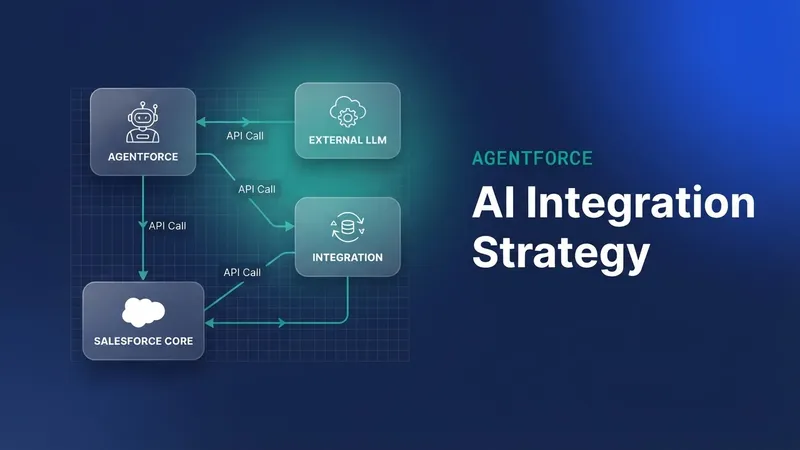
When teams pick an AI stack for Salesforce, Einstein is the default, along with Prompt Builder and Agent Builder. Cost, usage patterns, vendor lock-in or a strategic call can all push you to look at something else. The question worth asking is whether you can run an external AI stack without becoming the person who manages bare-metal infrastructure. DigitalOcean's managed AI capabilities and its FaaS (Functions as a Service) offering are one answer.
Heroku used to be the obvious place to extend Salesforce past Apex, with language support, scale and managed AI add-ons, and AppLink made offloading compute easier still. Heroku is moving to maintenance mode, so the alternatives matter now.
What follows looks at DigitalOcean's FaaS and managed inference features and how they hook into Salesforce. The developer experience aims at the same simplicity Heroku had, which keeps you on your own logic, and build packs are supported including the Cloud Native Buildpack standard. Sample code and deployment steps live in the digitalocean-salesforce-demos repository if you want to follow along.
Functions as a service (FaaS)
DigitalOcean Functions are serverless compute that scales to zero when nothing is calling them. You deploy the function logic and skip the boilerplate and the infrastructure management. They also support OpenAPI schemas, which is what makes the Salesforce side work, much as Heroku AppLink did.
The API contract comes first here. OpenAPI annotations go straight into the function code through Swagger tooling, then get processed into an OpenAPI specification that Salesforce External Services can consume.
/**
 * @openapi
 * /hello:
 *  get:
 *    operationId: hello
 *    summary: Hello from DigitalOcean
 *    parameters:
 *      - name: name
 *        in: query
 *        schema: { type: string }
 *    responses:
 *      '200':
 *        description: Greeting
 *        content:
 *          application/json:
 *            schema:
 *              $ref: '#/components/schemas/HelloResponse'
 *  post:
 *    operationId: helloPost
 *    # ...same greeting via JSON body { "name": "…" }
 */
/**
 * @openapi
 * components:
 *  schemas:
 *  HelloResponse:
 *    type: object
 *    properties:
 *      message: { type: string }
 *      name: { type: string }
 *      source: { type: string }
 */
// Build the greeting payload returned to the caller
function greet(name) {
  const who = (name && String(name).trim()) || 'world';
  return {
    message: `Hello from DigitalOcean, ${who}!`,
    name: who,
    source: 'DigitalOcean Functions',
  };
}
// DigitalOcean Functions entry point
function main(event = {}) {
  return {
    statusCode: 200,
    headers: { 'Content-Type': 'application/json' },
    body: greet(event.name),
  };
}
module.exports.main = main;
Deployment needs two files: one .js file holding the function logic and a project.yml that configures it.
# packages/sfdemo/
#  └── hello/
#      └── hello.js

# Function + @openapi JSDoc
project.yml

# package/function config for doctl
The project.yml declares the function as a public web function that requires secure web authentication, with the secret held in an environment variable.
packages:
  - name: sfdemo
    functions:
      - name: hello
        runtime: nodejs:22
        web: true
        # Secure Web Function — callers send X-Require-Whisk-Auth
        webSecure: ${DO_FUNCTIONS_WEB_SECRET}
Deploying through doctl means authenticating, installing the serverless plugin, creating a namespace and pushing the functions package. To call a secure web function you send the secret in the X-Require-Whisk-Auth header.
# Authenticate doctl and install the serverless plugin
doctl auth init
doctl serverless install
doctl serverless namespaces create --label sfdemo --region nyc1

# Project root + Secure Web Function secret
cd blog/playgrounds/functions
echo "DO_FUNCTIONS_WEB_SECRET=$(openssl rand -hex 32)" >> .env

# Build & deploy the Functions package
doctl serverless deploy . --remote-build

# Call with the Secure Web Function secret
SECRET=$(grep '^DO_FUNCTIONS_WEB_SECRET=' .env | cut -d= -f2-)
URL=$(doctl serverless functions get sfdemo/hello --url)
curl -sS -H "X-Require-Whisk-Auth: ${SECRET}" \
  -G "${URL}" --data-urlencode "name=Salesforce" | jq .

# Function response
# {
# "message": "Hello from DigitalOcean, Salesforce!",
# "name": "Salesforce",
# "source": "DigitalOcean Functions"
# }
Public functions authenticate with secret-based tokens or custom authentication out of the box. You can also make a function private and invoke it only through the DigitalOcean Functions APIs. The samples here are public and use secret-based authentication, while the callbacks into Salesforce run as admin-approved users.
The DigitalOcean dashboard lists the deployed functions and lets you read and test the code in place.
Calling those functions from Salesforce through External Services needs a Named Credential to hold the URL and the authentication secret. The OpenAPI schemas from the Swagger tooling feed that setup, and a script (./bin/functions-apex.sh) syncs the Named Credential URLs, generates the External Service metadata and deploys it.
The result is an External Service you can call from Apex. Here is the hello operation:
// Generated External Service client for DigitalOceanFunctions
ExternalService.DigitalOceanFunctions svc =
  new ExternalService.DigitalOceanFunctions();

// Build the hello operation request
ExternalService.DigitalOceanFunctions.hello_Request req =
  new ExternalService.DigitalOceanFunctions.hello_Request();
req.name = 'Salesforce';

// Invoke the Function via Named Credential + External Service
ExternalService.DigitalOceanFunctions.hello_Response res = svc.hello(req);
System.debug(res.Code200.message); // Hello from DigitalOcean, Salesforce!
External Services expose the functions to Flow and Agentforce as well as Apex, so declarative builders can call them as actions.
Callbacks to Salesforce
External Client Apps, which replace Connected Apps, plus OAuth JWT authentication give a function callback access into Salesforce. It can query and update data within the calling user's permissions.
This function counts Account records using JWT Bearer authentication and REST helpers:
// JWT Bearer + REST helpers (username comes from Named Credential headers)
const sf = require('./salesforce');

// Authenticate as the calling user, then COUNT Accounts
async function countAccounts(event = {}) {
  const username = sf.usernameFromEvent(event);
  const token = await sf.getAccessToken(event, username);
  const result = await sf.query(
    token.access_token,
    token.instance_url,
    'SELECT COUNT() FROM Account',
    event
  );
  return {
    objectName: 'Account',
    count: result.totalSize,
    source: 'DigitalOcean Functions → Salesforce SOQL (JWT Bearer + fetch)',
  };
}

// DigitalOcean Functions entry point
async function main(event = {}) {
  try {
    return {
      statusCode: 200,
      headers: { 'Content-Type': 'application/json' },
      body: await countAccounts(event),
    };
  } catch (err) {
    return {
      statusCode: 500,
      headers: { 'Content-Type': 'application/json' },
      body: { error: err.message || String(err) },
    };
  }
}
module.exports.main = main;
Dynamic header values on the Named Credential carry the calling user's identity across. The productCount function in the sample repository uses the Heroku AppLink Node.js library, which makes porting existing AppLink code easier and brings Unit of Work along for transactional data access.
Knowledge bases and retrieval augmented generation (RAG)
Managed databases like PostgreSQL with vector similarity search (pgvector) are the usual base for pipelines that ingest documents, generate embeddings and search them. DigitalOcean's Knowledge Bases wrap that in an API: provision a knowledge base, upload files as data sources, and the platform indexes them for retrieval and semantic search. That is a lot of plumbing you do not have to write, which leaves you on the scenario itself.
Serverless Inference and the Inference Router are worth a look too, since routing requests across the models you pick is how you keep costs under control. The platform is API-first with OpenAPI descriptions throughout, which is why agents and Salesforce can consume it without much work.
You can put a native Salesforce experience on top of Knowledge Bases, letting users upload files and ask questions against the indexed content, with External Services calling DigitalOcean's platform APIs directly.
The UI shows preparation status while DigitalOcean indexes the uploaded files. On the DigitalOcean side, the dashboard shows the uploaded data sources, indexing status and a RAG Playground for interactive testing.
Leave a Comment