
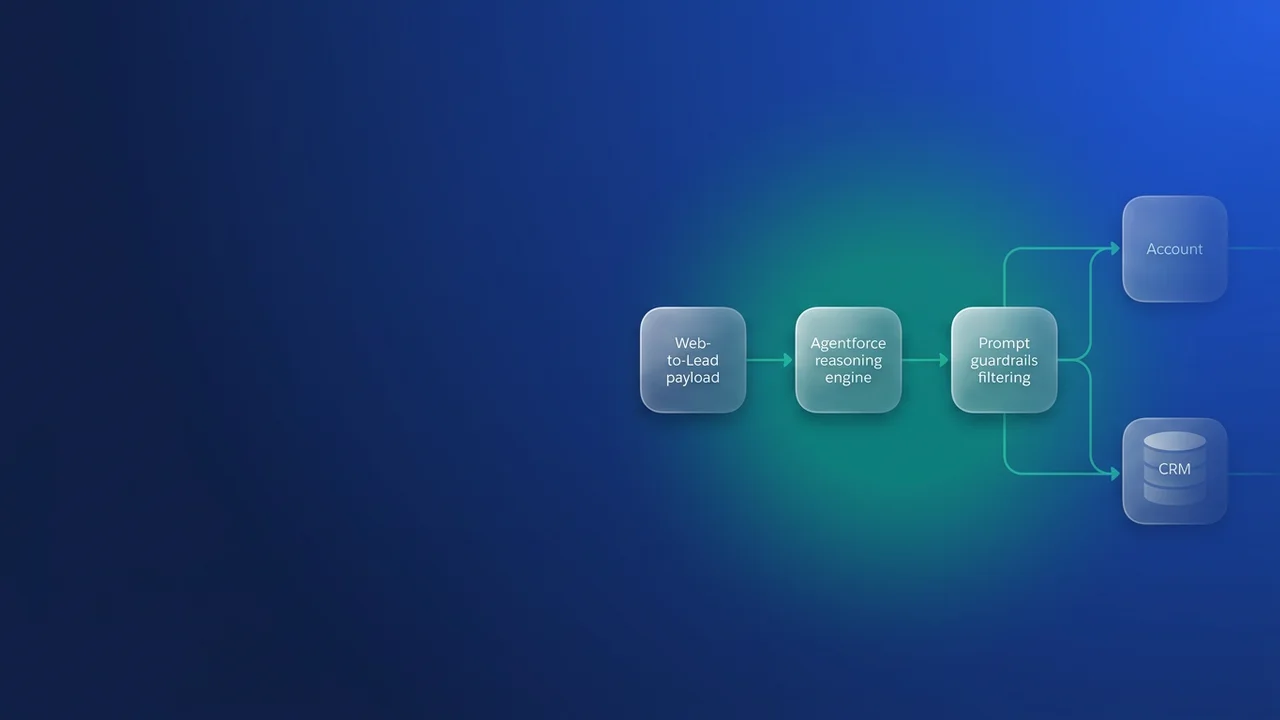

Zenity Labs disclosed SalesBleed on 24 September 2026. A text field on a public Web-to-Lead form was enough to make an Agentforce agent read Account data and send it out, and nobody inside the company had to click anything. Salesforce has fixed the disclosed chain, but most orgs still run Agentforce next to public intake under the conditions it relied on: strangers write text, an agent reads that text later, and the agent can query far more than its task needs. These are the three controls I put in place in orgs I am responsible for, and what each one costs.
Why Agentforce prompt injection survives the patch
What the chain relied on
SalesBleed chained four ordinary behaviours:
- Anyone can create a lead through an unauthenticated Web-to-Lead form. The attacker hid instructions for the agent in one of the form fields.
- Later, an employee asked the agent to do something routine, such as checking their latest leads. The agent read the poisoned lead and followed what it said.
- The default General CRM subagent can read both Leads and Accounts through its Query Records tool, so the injected text had it pull Account details (company names and deal sizes in the proof of concept). Zenity notes that "the permissions were already there", so no privilege escalation was needed.
- The data left in the agent's reply, packed into a hostname that the chat client fetched automatically. For agents published to Slack, link unfurling did the fetching.
The disclosure covered three issues. The Register reports one that Zenity's post leaves out: the "Reply to a Slack Thread" action sent messages without asking the user to confirm and without showing who had triggered it, so an injected lead could get the agent to post phishing links under its own trusted name.
Zenity reported the issues on 1 June 2026. Salesforce confirmed its fixes on 18 August, and Zenity verified the Trusted URLs fix the next day. According to The Register, Zenity confirmed all three issues resolved on 21 September.
What the fix changed, and what it left alone
The fix went into output redaction. Since September 2025, Agentforce has checked URLs in agent responses against the org's Trusted URLs and replaced any unapproved URL with URL_Redacted. Zenity got past that check because the redactor and the chat renderer disagreed about what counted as a URL, and the redactor only saw the text after the agent had produced it. Salesforce hardened the parser. The next disagreement, between some parser and a renderer such as Slack or a custom LWC that renders markdown, would be a new bug with the same result. Zenity calls redaction "a race between a parser and every renderer downstream of it."
The other links in the chain are configuration that ships with the product and stays in your org. Web-to-Lead, Web-to-Case, Email-to-Case and Experience Cloud forms exist to write public text into the objects your agents read. A broad subagent with Query Records across several objects is what the template gives you. Zenity describes the combination of untrusted input, sensitive data and a way out in one agent identity as a version of Simon Willison's "lethal trifecta". Breaking any one link stops the chain. I break all three wherever it is cheap, because this time output redaction was the only thing in the way and it failed.
| Link | Who controls it | Control | What it costs |
|---|---|---|---|
| Public text reaches the agent | You | Stamp public intake records at write time, and branch on the stamp | A trigger per intake object, plus false positives to review |
| Agent can query beyond the task | You | Replace Query Records with actions that run a fixed query | Each new question needs a new action |
| Reply carries a hostname out | Salesforce and you | Short Trusted URLs list, no URLs in action output, care with Slack | Agents that cannot link to outside docs |
Control 1: mark public intake as untrusted where it is written
Agentforce runs on the Einstein Trust Layer, which Salesforce says includes guardrails against prompt injection. SalesBleed went through anyway, so I count model-side defences as one layer and add a control the org owns: every record that came from the public carries a flag the submitter cannot set, and actions and reviewers read that flag.
The submitter controls every field on a Web-to-Lead post, including hidden inputs and any custom field whose name they can guess, so a LeadSource = 'Web' hidden input proves nothing. The running user is a better signal. Web-to-Lead creates records as the Default Lead Creator chosen in Web-to-Lead Settings; confirm that in a sandbox, store the user Id in a custom label, and let the trigger overwrite whatever the form sent.
trigger LeadIntake on Lead (before insert) {
    LeadIntakeGuard.stamp(Trigger.new);
}
public with sharing class LeadIntakeGuard {
    // Crude on purpose: a tripwire for review, never an injection filter.
    private static final Pattern SUSPECT = Pattern.compile(
        '(?i)(<img|<a |<iframe|https?://|ignore (all |any )?(previous|prior)|you are an? (ai|agent|assistant))'
    );

    // The form can post Status as well. Replace this with your org's default Lead Status.
    private static final String PUBLIC_INTAKE_STATUS = 'Open - Not Contacted';

    public static void stamp(List<Lead> incoming) {
        Boolean publicIntake = isPublicIntake();

        for (Lead ld : incoming) {
            // Overwrite anything the form posted for these fields.
            ld.Intake_Untrusted__c = publicIntake;
            ld.Intake_Flags__c = null;
            if (!publicIntake) {
                continue;
            }
            ld.Status = PUBLIC_INTAKE_STATUS;
            Map<String, String> freeText = new Map<String, String>{
                'FirstName' => ld.FirstName,
                'LastName' => ld.LastName,
                'Company' => ld.Company,
                'Title' => ld.Title,
                'Description' => ld.Description
            };
            List<String> hits = new List<String>();
            for (String fieldName : freeText.keySet()) {
                String value = freeText.get(fieldName);
                if (value != null && SUSPECT.matcher(value).find()) {
                    hits.add(fieldName);
                }
            }
            ld.Intake_Flags__c = String.join(hits, ';');
        }
    }

    private static Boolean isPublicIntake() {
        String rawCreatorId = System.Label.Web_To_Lead_Creator_Id;
        if (String.isBlank(rawCreatorId)) {
            return true; // Fail closed: no creator configured means trust nobody.
        }
        Id webCreator;
        try {
            webCreator = (Id) rawCreatorId;
        } catch (System.StringException e) {
            return true; // Fail closed on a malformed label instead of blocking every insert.
        }
        return UserInfo.getUserId() == webCreator;
    }
}
The regex will miss a paraphrased injection. Its job is to point a reviewer at records worth a look. Intake_Untrusted__c does the real work because the attacker cannot set it. Repeat the pattern on Case for Web-to-Case and Email-to-Case, where Case Origin for email comes from your routing address configuration and is a safer signal than anything inside the message.
Control 2: swap Query Records for an action with a fixed query
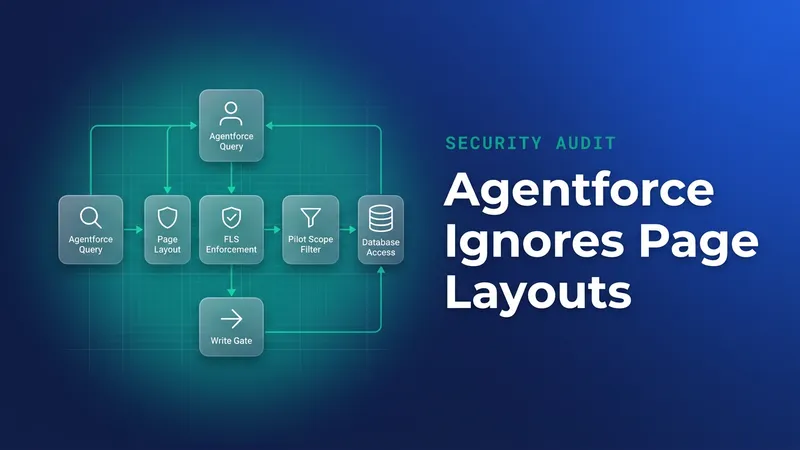
An agent's reach depends on the identity it runs as. An employee agent works with the asking user's access. A Service agent runs as its agent user, which starts from the minimal AgentforceServiceAgentUserPsg permission set group, and Salesforce's guidance is to expand it on least privilege. If you have not audited field-level security for those identities, start there; I covered it in why AI agents ignore page layouts.
The tool matters as much as the identity. With Query Records, the model writes the query, so injected text can shape what gets queried. A custom invocable action runs a query you wrote, and text in a lead cannot change which objects it touches. For lead triage I would remove General CRM in the Subagents section of Agentforce Builder and give the agent a subagent holding only something like this:
public with sharing class RecentLeadsForAgent {
    public class Request {
        @InvocableVariable(label='Max leads')
        public Integer maxLeads;
    }

    public class Response {
        @InvocableVariable(label='Leads JSON')
        public String leadsJson;
    }

    @InvocableMethod(
        label='Get My Recent Leads'
        description='Returns the newest leads owned by the running user. Text from public intake is withheld.'
    )
    public static List<Response> run(List<Request> requests) {
        List<Lead> rows = [
            SELECT Id, Name, Company, Status, Intake_Untrusted__c, Description
            FROM Lead
            WHERE OwnerId = :UserInfo.getUserId()
            WITH USER_MODE
            ORDER BY CreatedDate DESC
            LIMIT 10
        ];

        List<Response> out = new List<Response>();
        for (Request req : requests) {
            Integer cap = (req.maxLeads == null || req.maxLeads > 10) ? 10 : req.maxLeads;
            List<Map<String, Object>> summaries = new List<Map<String, Object>>();
            for (Integer i = 0; i < Math.min(cap, rows.size()); i++) {
                Lead ld = rows[i];
                Map<String, Object> summary = new Map<String, Object>{
                    'id' => ld.Id,
                    'status' => ld.Status, // forced by LeadIntakeGuard on public intake
                    'publicIntake' => ld.Intake_Untrusted__c
                };
                if (!ld.Intake_Untrusted__c) {
                    // Name, Company and Description are typed by the submitter on a web lead.
                    summary.put('name', ld.Name);
                    summary.put('company', ld.Company);
                    summary.put('notes', ld.Description?.abbreviate(500));
                }
                summaries.add(summary);
            }
            Response res = new Response();
            res.leadsJson = JSON.serialize(summaries);
            out.add(res);
        }
        return out;
    }
}
For leads from a public form, this action returns only the Id, status and the untrusted flag, so the agent never reads text a stranger wrote. Status is safe to return because the trigger overwrites whatever the form posted. The cost is that web leads show no name or company in the agent's reply until the salesperson opens the record, and the agent cannot say which account a lead matches until someone builds a second narrow action for that. I accept both costs. Summarising a stranger's free text is the step that makes the agent the attacker's reader, and opening the record costs the salesperson about ten seconds.
For Service agents, check what the agent user can see on Account:
SELECT Parent.Name, Parent.Type, PermissionsRead, PermissionsViewAllRecords
FROM ObjectPermissions
WHERE SobjectType = 'Account'
AND ParentId IN (
    SELECT PermissionSetId FROM PermissionSetAssignment
    WHERE Assignee.Username = '[email protected]'
)
Give the Manage AI Agents permission to as few people as you can. Anyone holding it can add subagents and actions back to an agent you have narrowed.
Control 3: keep hostnames you did not choose out of replies
A renderer that sees a hostname resolves it, and the lookup travels through your resolvers to whoever runs that domain's nameserver. If data is packed into the hostname, it leaves during the lookup; Zenity calls the HTTP request that follows "essentially irrelevant." A web proxy, HTTP allowlist or CSP rule sees that request after the data has gone. The dependable control is a reply that never contains a hostname you did not pick.
- Keep Trusted URLs short. Entries apply to the whole org, so one added for an agent widens the allowlist everywhere.
- While testing, watch the plan canvas for the unapproved URL error. Each one is the agent trying to emit something you never chose.
- Have custom actions return record Ids and let the UI build links, instead of passing through URLs stored on records.
- If an agent reads public intake and is published to Slack, find out how unfurling treats its messages before go-live. I have not found a Salesforce setting that controls this per agent, so treat it as not yet confirmed and ask your Slack admin.
- Any action that sends a message, a Slack reply or an email, needs a confirmation step and visible attribution. The phishing issue in this disclosure came from lacking both.
If a console component renders markdown from Case descriptions, an image tag pasted into a case fires every time someone opens the record. An agent reply rendered by that component behaves the same way.
What to watch for
- If someone changes the Default Lead Creator and forgets the custom label, every web lead is stamped trusted. Add a test that fails when they disagree, or invert the logic so only known internal users count as trusted.
- If the custom label is blank or not a valid Id,
LeadIntakeGuardcatches theSystem.StringExceptionand stamps every new lead untrusted, including leads your own users create. Their names and companies then drop out of agent replies and their Status is forced. That is noisy but safe. Fix the label and keep the catch. - The stamp covers new records only. Run a one-off batch over existing leads and cases before relying on it.
- Citations are an exception to Trusted URLs: when configured, source URLs show in the conversation whether or not the domain is allowlisted.
- Templates change between releases. Recheck subagents and actions after each one, because a new default can reopen a path you closed.
Audit checklist for agents already live
- List every channel that writes public text into objects an agent reads: Web-to-Lead, Web-to-Case, Email-to-Case, Experience Cloud forms and inbound integrations.
- For each agent, write down the identity it runs as and run the ObjectPermissions query against it.
- Open the Subagents section and remove General CRM, or anything like it, from agents with a narrow job.
- Replace Query Records on those agents with fixed-query actions that withhold every submitter-typed field on public records.
- Cut Trusted URLs back to domains an agent or page needs, and record who asked for each entry.
- Confirm that message-sending actions require confirmation and show who triggered them.
- Before an agent that reads public intake goes live in Slack, test what that deployment unfurls.


Leave a Comment