


I've spent years connecting Salesforce to everything from legacy ERPs to modern marketing stacks, and Salesforce integration challenges are basically a rite of passage for any architect or developer. If you've never had a sync break at 2 AM, or found out a middleware job wiped 10,000 records, have you really worked in this ecosystem? Most of the time the technical "wiring" isn't the hard part. The logic and the scale are what get you.
We've all been there. You build a clean API connection, and then the business decides to upload a million records on a Monday morning. Your limits are blown and the integration is dead in the water.
Common Salesforce integration challenges and how to fix them
Integrating Salesforce with an ERP or a finance system takes a lot more than hitting an endpoint. The hard part is keeping your data consistent across both systems. These are the things that usually go wrong, and how I've seen teams fix them.
1. The "Single Source of Truth" struggle
Data synchronization trips people up first. Without a clear plan for which system "owns" a piece of data, you end up with stale records and reporting nobody trusts. I push for a solid integration pattern built on External IDs for every record. It makes the reconciliation job far easier when things inevitably fail.
2. Hitting API limits at the worst time
This is probably the most common of the Salesforce integration challenges. If your integration is too "chatty", making a call for every small change, you run out of API juice fast. Use Bulk API 2.0 for the heavy lifting, and write delta queries so you only move data that actually changed since the last sync.
GET /services/data/v61.0/query?q=SELECT+Id,Name+FROM+Account+WHERE+LastModifiedDate>2025-10-01T00:00:00Z
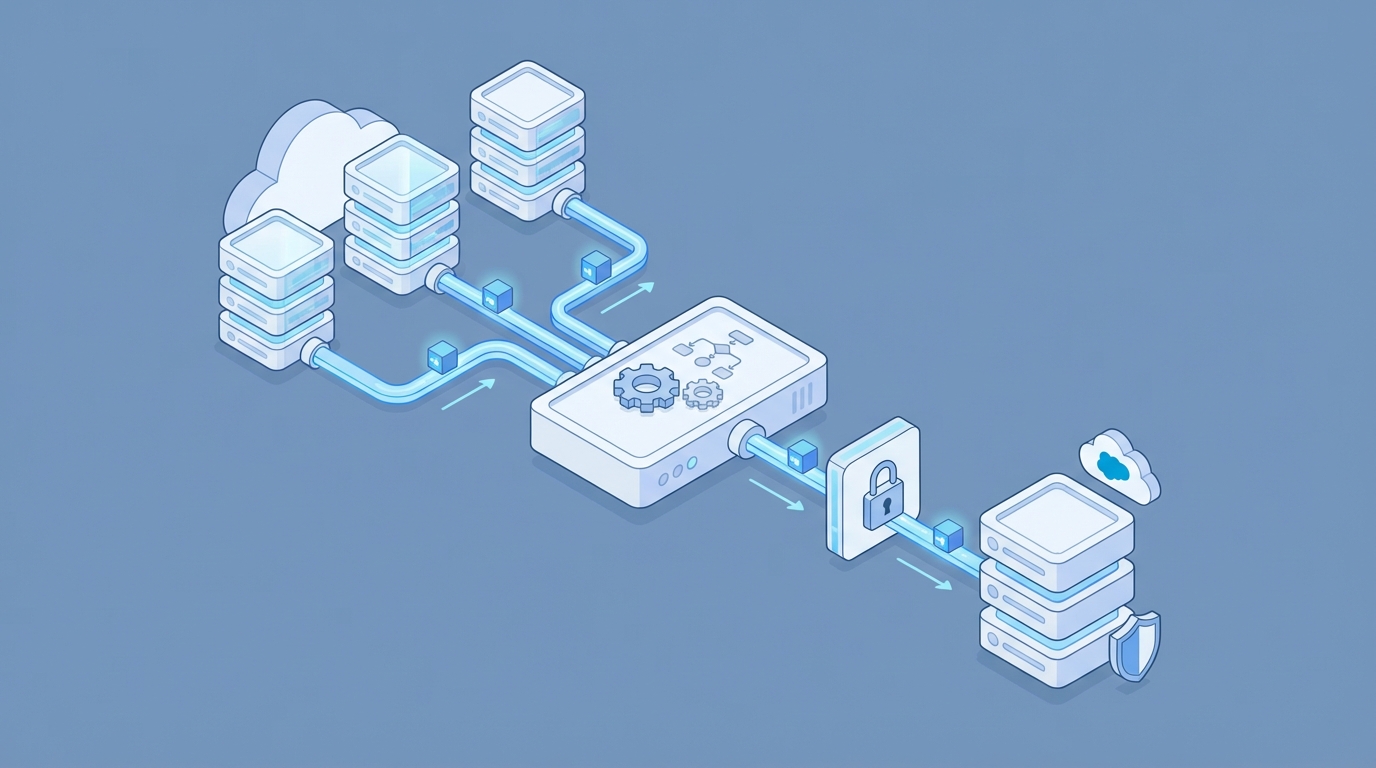
A professional architecture diagram illustrating a delta data synchronization process between an external database and Salesforce.
Beating Salesforce integration challenges with better design
Most teams get the security and the mapping wrong because they're in a rush to go live. An extra few days on the foundation saves weeks of debugging later.
3. Data mapping and the "Dirty Data" problem
Different systems have different rules. Your ERP might allow 100 characters for a name where Salesforce only wants 80. Without a data dictionary you're guessing. I've watched projects stall for weeks because nobody could agree on how to format a phone number. Clean the data in your ETL tool before it ever touches Salesforce.
Never trust the source system's data quality. Always implement validation rules in Salesforce to catch bad data before it creates a mess in your Org.
4. Security is not optional
Please, stop hardcoding credentials. I still see this in older Orgs, and it's a massive risk. Use OAuth 2.0 and Named Credentials. If you need to handle server-to-server auth, the Salesforce JWT flow is the way to go. It's secure, it's stable, and it won't break when someone changes their password.
HttpRequest req = new HttpRequest(); req.setEndpoint('callout:My_Secure_ERP_API/customers'); req.setMethod('GET'); HttpResponse res = new Http().send(req);
5. Error handling that actually works
If an integration fails and nobody knows about it, did it even happen? Yes, and it usually costs the company money. You need a centralized way to log errors. I build a custom "Integration Log" object in Salesforce to track failures, request bodies, and error codes. It makes the mean-time-to-repair far shorter.
6. Real-time vs. batch: choose wisely
Do you really need that data to sync in a millisecond? Probably not. Real-time integrations are expensive and hard to maintain. If the business can wait 15 minutes, go with a batch process. If you truly need the speed, look into Platform Events. They are much more reliable than old-school triggers for event-driven designs.
7. Monitoring and keeping things alive
Once you're live, the job isn't over. You need dashboards to track your API usage and failure rates. Simple Slack alerts for integration errors have saved me more than once. It's much better to tell your boss you're fixing a bug than to have them tell you the data has been broken for three days.
Key takeaways
- Always use External IDs to keep records synced across systems.
- Protect your API limits by using Bulk API 2.0 for large data sets.
- Stop using hardcoded passwords; use Named Credentials and OAuth.
- Build a logging system so you aren't flying blind when things break.
- Understand the difference between real-time needs and batch processing.
Solving Salesforce integration challenges comes down to being proactive. Don't wait for the system to crash to think about error handling or API limits. Design for the "bad day" when the server is slow and the data is messy. Do that and your integrations will actually scale as the business grows, and you might even get to sleep through the night.

Leave a Comment