


Keeping sandbox data close to production
Sandboxes drift from production the moment you stop watching them. Data volume falls out of step, integrity assumptions stop holding, and the refresh you ran a few weeks ago no longer represents anything. A full refresh on a fixed cycle buys a clean starting point and a long outage, and the drift restarts as soon as the next config change or batch of transactional data lands in production.
Developers, architects and admins all want the same thing here: a repeatable way to top sandboxes up between refreshes.
Limits of the standard sandbox refresh
Salesforce's refresh is a copy mechanism. Teams get into trouble when they treat it as a synchronization strategy. When a refresh runs:
- The sandbox receives a static snapshot of production data as it stood when the refresh was requested.
- Custom fields, Apex classes, Flows and permission sets deployed to production after that snapshot but before anyone actually uses the sandbox are simply missing.
- External integrations need re-authentication, re-pointed endpoints (callouts, Connected App settings) and re-established queue mappings, all of it landing on an admin by hand.
Technical approaches to long-term synchronization
Data parity holds when metadata deployment practice and controlled data movement work together.
1. Metadata first, data second
Version-control every configuration change with SFDX and Git, then deploy it through a CI/CD pipeline. That takes configuration drift off the table before anyone starts arguing about data.
Push schema and Apex to lower environments often with metadata-only deployments, so those orgs stay aligned with the current production metadata:
sf project deploy start --source-dir force-app --target-org <SandboxAlias> --metadata-only
2. Targeted data seeding versus a full copy
Seed only the data a given testing scenario needs, instead of copying everything each cycle.
For small, essential datasets such as specific Account types or fiddly configuration records, write Apex utilities or Flow orchestrations that read static seed data from a repository (or from a small dedicated 'seed' object in production) and recreate those records in the sandbox on demand.
For larger datasets that change often but are needed for performance testing or regression, use a third-party ETL or data loading tool such as Informatica Cloud, Talend, or one of the Salesforce-specific data tools. You want it to spot the deltas between production and the sandbox, usually via timestamps or external IDs, and apply only the missing inserts and updates. That runs far faster than a full refresh, so you can schedule it weekly.
3. Handling external dependencies and integrations
Integrations are the part that breaks after every refresh, and the repair is almost always manual. Automate re-establishing the connections instead.
Give every record that has to be matched or updated across environments an ExternalId__c value. Re-seeding and integration work then matches the existing record rather than duplicating it.
Keep connection details such as OAuth secrets and endpoint URLs out of ordinary configuration fields where you can, or have deployment scripts set them from the target org alias. A deployment hook might run something like this:
# Pseudocode for updating a Connected App Callback URL post-deployment
if $TARGET_ORG == 'Sandbox_QA' then
  sf data update Campaign WHERE Name = 'Integration_Settings' SET Callback_URL__c = 'https://qa.external.service/callback'
else if $TARGET_ORG == 'Production' then
  sf data update Campaign WHERE Name = 'Integration_Settings' SET Callback_URL__c = 'https://prod.external.service/callback'
end if
4. Managing sandbox lifecycles
Write down when a sandbox must be refreshed and when it can be kept alive with seeding instead. Something along these lines:
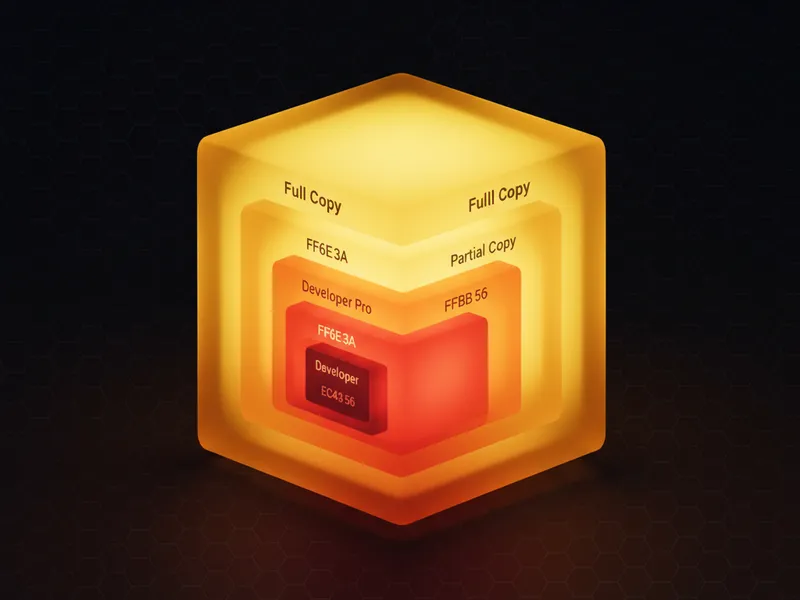
| Sandbox Type | Recommended Maintenance Strategy | Data Refresh Frequency | Rationale |
|---|---|---|---|
| Dev/Scratch | Incremental deployments, data seeded via Apex/Flow/Scripts | Daily/On-Demand | Small data footprint, rapid configuration iteration. |
| Partial Copy | Targeted ETL seeding for critical objects (Accounts, Opportunities) | Monthly/Quarterly | Balance data volume with configuration recency. |
| Full Copy | Reserved strictly for performance or compliance validation | Biannually or Annually | Highest cost and time commitment. Only needed when data volume is the test variable. |
The short version
Treat metadata deployment as continuous and data synchronization as targeted seeding. They are separate problems on separate cadences, and running them off one calendar is where most of the pain comes from.
External IDs are what stop iterative production-to-sandbox updates from creating duplicate records, so put them in early.
Write deployment scripts or DX hooks that reset integration settings for the target sandbox, because nobody remembers to do it by hand.
And save the expensive full refresh for tests that genuinely depend on production data volume and structure rather than its content.

Leave a Comment