

I've spent years building complex systems, but sometimes a simple Salesforce flat file integration is exactly what a project needs to get across the finish line. You don't always need a real-time API to move data from point A to point B. If you're dealing with legacy systems or massive nightly updates, a structured file is often the most reliable way to go.
Why I still recommend Salesforce flat file integration
We all love the idea of real-time data, but real-time adds complexity. If your business users only look at a report once a day, why spend the extra money on expensive middleware and constant API monitoring? A Salesforce flat file integration uses plain-text files like CSV, TXT, or TSV to move records in batches. It's predictable, it's easier to debug, and it's usually a lot cheaper to maintain.
I've seen teams struggle to keep a flaky REST API alive when a simple nightly CSV upload would have solved the problem in half the time. If the external system doesn't support modern webhooks, or if you're managing Salesforce large data volumes, a batch file approach is often the smartest move you can make.
How the flow usually looks
- The source system dumps records into a structured file.
- That file gets moved to a secure spot, usually an SFTP server.
- Salesforce (or a tool like Data Loader) picks it up and pushes the data into objects.
- You check the logs, fix any wonky data, and move on with your life.
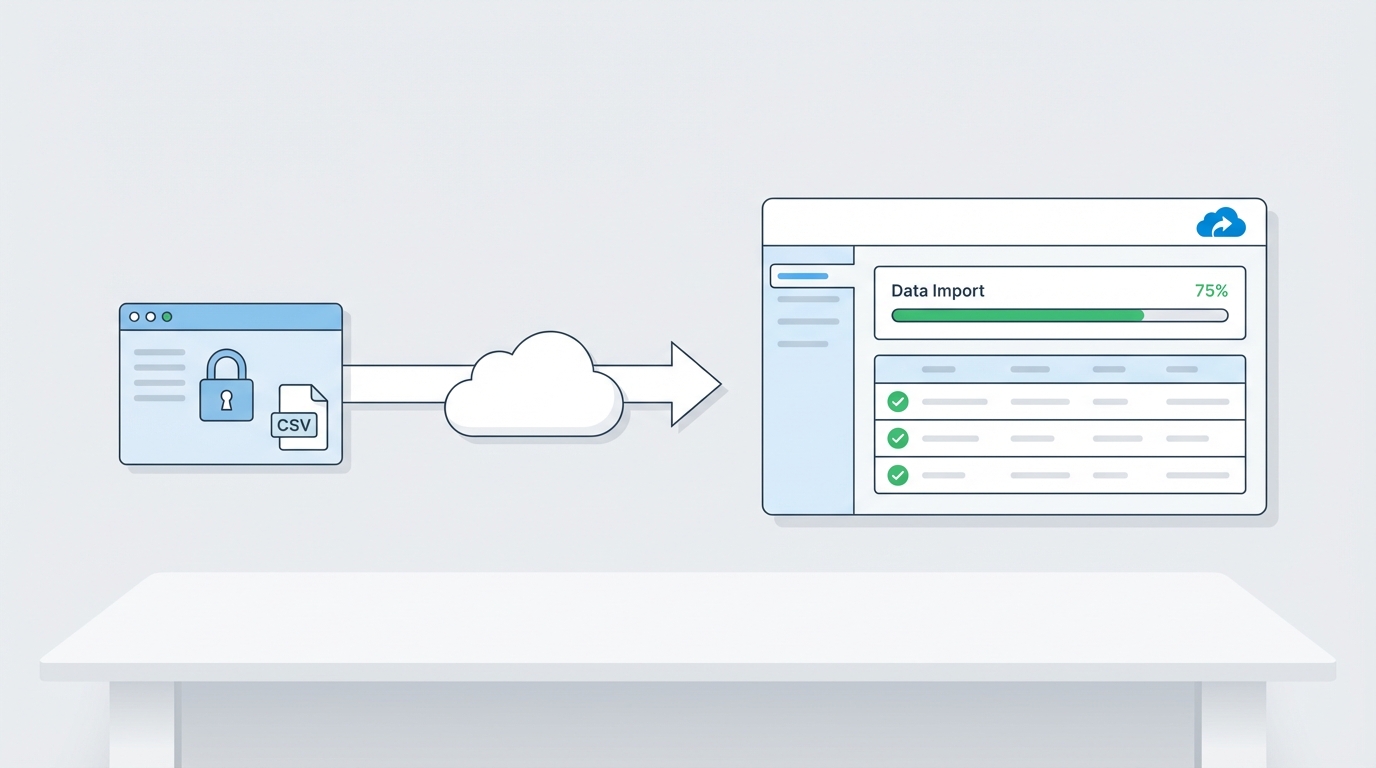
Data moving from a secure SFTP file into a Salesforce data import interface.
Setting up a Salesforce flat file integration that actually works
Deciding between a file and an API comes down to timing and cost. APIs are great for "right now" data, but they take more development effort. If you want to dig into the alternative, there's a Salesforce API integration guide covering that side. For everything else, the flat file is your best friend.
Key differences to keep in mind
- Mode: files happen in batches, APIs happen in real-time.
- Format: CSV or TXT versus JSON or XML.
- Speed: files depend on your schedule (like every 4 hours), APIs are instant.
- Cost: files are generally cheaper because they don't need constant "handshake" management.
Pro tip: always use UTC for your timestamps and keep your CSV headers consistent. I've wasted far too many hours debugging an integration just to find out someone renamed a column from "Account_ID" to "AcctID" without telling me.
Tools and hands-on tips
When you're building a Salesforce flat file integration, you have a few options for the heavy work. For simple stuff, the Data Loader or Data Import Wizard works fine. For enterprise work, you'll probably use something like MuleSoft, Boomi, or a custom Apex solution that uses Named Credentials to talk to an SFTP API.
One thing that trips people up is error handling. Don't assume the file uploaded correctly. Validate the headers, check for corrupted rows, and log failures somewhere a human will actually find them. Use a consistent naming convention with timestamps (like orders_2026_05_20.csv) so you don't accidentally process the same data twice.
Sample Apex: triggering a file upload
Sometimes you need to trigger a file transfer straight from Salesforce. Here's a pattern I've used to package a file and post it to an endpoint with a Named Credential. It handles authentication without hardcoding secrets.
public with sharing class FlatFileIntegration {
  public void triggerIntegration() {
    FTPRequestWrapper ftp = new FTPRequestWrapper();
    ftp.path = '/';
    ftp.fileName = 'daily_sync.txt';
    ftp.body = EncodingUtil.base64Encode(Blob.valueOf('Sample Data Content'));

    String jsonPayload = '[' + JSON.serialize(ftp) + ']';
    HttpRequest req = new HttpRequest();
    req.setEndpoint('callout:FlatFileNamedCredential');
    req.setMethod('POST');
    req.setBody(jsonPayload);

    Http http = new Http();
    HTTPResponse response = http.send(req);

    System.debug('### Response: ' + response.getBody());
  }

  public class FTPRequestWrapper {
    public String path;
    public String fileName;
    public String body;
  }
}
Key takeaways
- Use flat files for large, scheduled batches where real-time isn't a requirement.
- Always validate your data before it hits Salesforce to avoid messy cleanups.
- Named Credentials are the way to go for secure, authenticated callouts.
- Keep an audit trail of every file processed so you can troubleshoot later.
- Split massive files into smaller chunks if you start hitting governor limits.
Wrapping it up
A Salesforce flat file integration is a tool in your toolbox, and a practical one. Pick the right pattern for the job and you save your company money and save yourself from midnight support calls. Start small, get your error handling right, and these integrations will be some of the most stable parts of your Salesforce org.



Leave a Comment