

Look, if you have been around the ecosystem for a while, you know that a solid Salesforce API integration is what separates a messy org from a well-oiled machine. I have spent years fixing integrations that were built with the wrong tools. It is not just about getting data from point A to point B; it is about how that data moves without breaking your governor limits or making your users wait forever.
In my experience, architects often jump straight into coding before they really look at the landscape. But choosing the wrong API can haunt you for months. So, let's break down what you actually need to know to get this right the first time.
Choosing the Right Pattern for Your Salesforce API Integration
When you are planning your Salesforce API integration, you have to think about the "chattiness" of the system and the volume of data. Not every request needs a real-time response, and trying to force one can lead to major performance bottlenecks. Here is how I categorize the heavy hitters.
Core Data Access APIs
- REST API - This is the bread and butter for most web and mobile apps. It is lightweight and easy to work with. If you need to do quick CRUD operations, this is usually your first choice.
- SOAP API - I know, it feels a bit old-school. But for enterprise systems that require a strict contract (WSDL), it is still the king. If you are debating between the two, check out this breakdown of SOAP vs REST.
- Bulk API (v2) - Please, if you are moving more than a few thousand records, don't use the standard REST API. Use Bulk v2. It is built for managing large data volumes and handles the heavy lifting in the background so you don't hit those pesky timeout limits.
- GraphQL API - This is a newer favorite. It lets you query exactly what you need in one go. Instead of making five calls to get an Account and its related Contacts, you do it in one shot. It is a huge win for front-end performance.
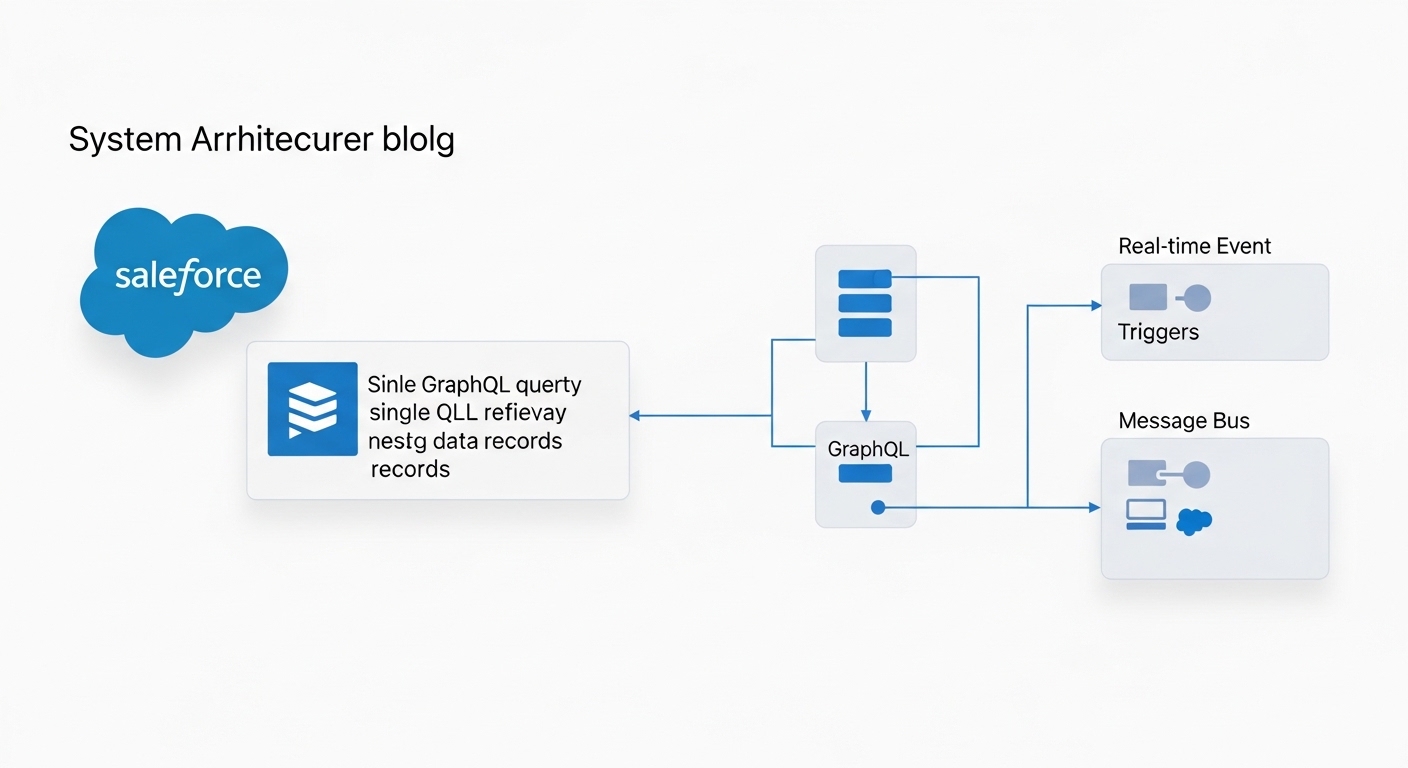
A technical architecture diagram showing a GraphQL data fetch and an event-driven streaming data flow between Salesforce and an external system.
Event-Driven and Streaming APIs
Here is where it gets interesting. Polling is dead - or at least it should be. If your external system is constantly asking Salesforce "Is there new data yet?", you are wasting resources. Event-driven architecture is much cleaner.
- Platform Events - These are great for custom business logic. You can fire an event from a Flow or Apex and have an external system listen for it. I often get asked about Platform Events vs Outbound Messages, and honestly, Platform Events are almost always the better, more flexible choice.
- Change Data Capture (CDC) - If you just need to keep an external database in sync whenever a record changes, CDC is a lifesaver. It publishes events automatically for creates, updates, and deletes.
Pro tip: When using CDC, watch your event limits. It is easy to turn it on for every object and then wonder why you ran out of your daily allocation by lunchtime.
Specialized APIs You Shouldn't Ignore
Most people focus on data, but a successful Salesforce API integration often involves the "meta" side of things. If you are building dev tools or complex automation, you'll need these.
- Metadata API - This is what your CI/CD pipelines use. It is how you move fields, layouts, and code between environments.
- Tooling API - I use this when I need to dig into the guts of the org - like checking Apex test results or looking at logs programmatically.
- Apex REST - Sometimes the standard API just doesn't cut it. If you have a complex business process that requires multiple steps, you can write your own Apex REST endpoint to wrap it all into one clean call.
Best Practices for a Secure Salesforce API Integration
Honestly, most teams get this wrong because they rush the security part. You can't just throw a username and password at an integration and call it a day. That is a disaster waiting to happen. Here is what I insist on for every project.
- Use OAuth and Named Credentials - Never hardcode secrets. Named Credentials make your life so much easier by handling the authentication logic for you.
- Design for Resilience - Systems go down. It happens. Your integration should handle retries with exponential backoff. Don't just let the process die and leave the data in a half-baked state.
- Least Privilege - The integration user should only see what it absolutely needs. I've seen too many "Integration Users" with System Admin permissions. That is a massive security risk.
- Monitor Everything - Set up alerts for when your API usage spikes or when error rates climb. You want to know there is a problem before your stakeholders start calling you.
Key Takeaways
- Match the API to the volume: Use Bulk for millions of records, REST for single updates.
- Stop polling: Use Platform Events or CDC for real-time synchronization.
- Security isn't optional: Use Named Credentials and follow the principle of least privilege.
- Wrappers matter: Use Apex REST when you need to simplify complex logic for external callers.
So, what does this actually mean for your next project? Start by mapping out your data flow. Don't just default to the REST API because it is familiar. Think about the limits, think about the scale, and most importantly, think about how the system will behave when things go wrong. Building a Salesforce API integration that actually lasts requires a bit of foresight, but it saves you a lot of late-night debugging in the long run.



Leave a Comment