


Salesforce data quality is usually the difference between a CRM that people actually use and one they hate. I've seen teams spend six figures on fancy AI tools only for them to fail because the underlying data was garbage. If your sales reps don't trust the reports, they won't use the system.
Why Salesforce data quality is your biggest bottleneck
Bad data breaks your automation and it costs you money. If you have three different records for the same customer, your marketing team is going to spam them with three different emails. That's a terrible look. The real pain starts when you try to scale: inaccurate data leads to broken flows, wrong territory assignments, and leadership making decisions based on fiction.
Most teams struggle with the same few things: duplicates, missing fields, and messy formatting. Nobody likes cleaning data, but if you don't stay on top of it, you'll eventually hit a wall when managing large data volumes becomes a daily struggle.
Pro tip: Data quality is a culture problem as much as a technical one. If you don't train your users on why clean data helps them close deals faster, they'll always find a way to bypass your validation rules.
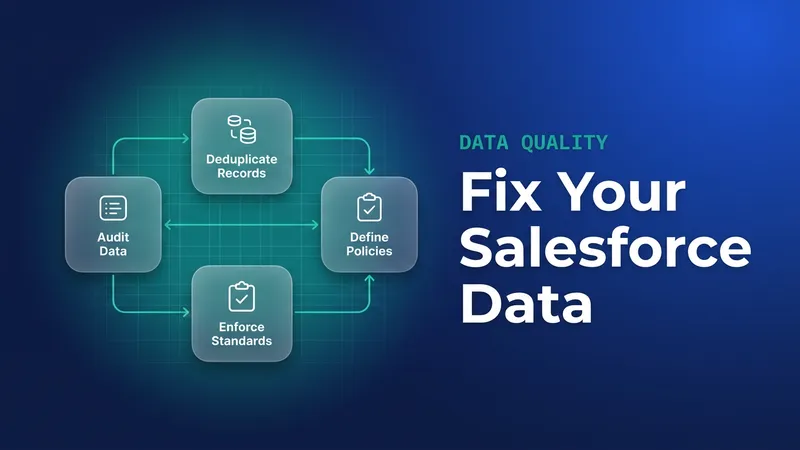
The step-by-step fix for Salesforce data quality
1. Audit and backup (Don't skip this)
Before you touch anything, you need to know how bad the damage is. Run some reports to find empty fields or records with "test" in the name. And for the love of all things holy, export your data before you do a bulk update. I've seen too many admins accidentally wipe out phone numbers because they messed up a VLOOKUP in Excel. Use the Data Loader to get a clean backup first.
2. Standardize your fields
Stop letting people type whatever they want into text fields. If you need a country name, use a picklist. If you need a specific format for a serial number, use a validation rule. This keeps things consistent so your reports actually make sense. You can even use a validation rule for Customer ID formatting to make sure your data stays clean from the start.
3. Tackle the duplicates
Duplicates are like weeds: they keep coming back unless you pull them out by the root. Salesforce has native Duplicate Management, and it's pretty good once your matching rules are right. But if you're dealing with a massive mess, you might need something heavier like Cloudingo or DemandTools. When you're cleaning up leads, make sure you understand the nuances of lead merging so you don't lose important activity history.
4. Automate the boring stuff
You can't be everywhere at once. Use Flows to fix formatting issues automatically. A Flow can capitalize the first letter of a name or strip the weird characters out of a phone number. That's a huge part of maintaining Salesforce Flow data integrity without needing a human to check every record.
Tools you'll actually use
You don't always need to buy a new tool to improve Salesforce data quality. Start with what you have. The Data Import Wizard is fine for small batches, but for anything serious, you'll want the Data Loader. It's clunky, but it works. For the devs in the room, sometimes a quick bit of Apex is the fastest way to fix a specific issue across thousands of records.
// A simple way to find potential duplicate accounts
SELECT Name, COUNT(Id)
FROM Account
GROUP BY Name
HAVING COUNT(Id) > 1
If you're going the programmatic route, just be careful with Database.merge(). It's powerful, but there's no undo button. Always test your logic in a sandbox first. Most teams get this wrong by trying to automate too much too fast without checking the edge cases.
Key takeaways
- Never run a bulk update without a fresh CSV export.
- Use picklists to stop messy data at the source.
- Try native Duplicate Rules before you buy an expensive third-party app.
- Put data maintenance on the weekly calendar; Salesforce data quality is never finished.
- Spot-check the results even when a tool enriched the data for you.
Pick one object, usually Accounts or Leads, and run a report for missing data. Fix that first. Once you show the team how much better the reports look when the data is clean, you'll get the buy-in you need to tackle the rest of the org. A little bit of work now saves you a massive headache six months down the road.


Leave a Comment