
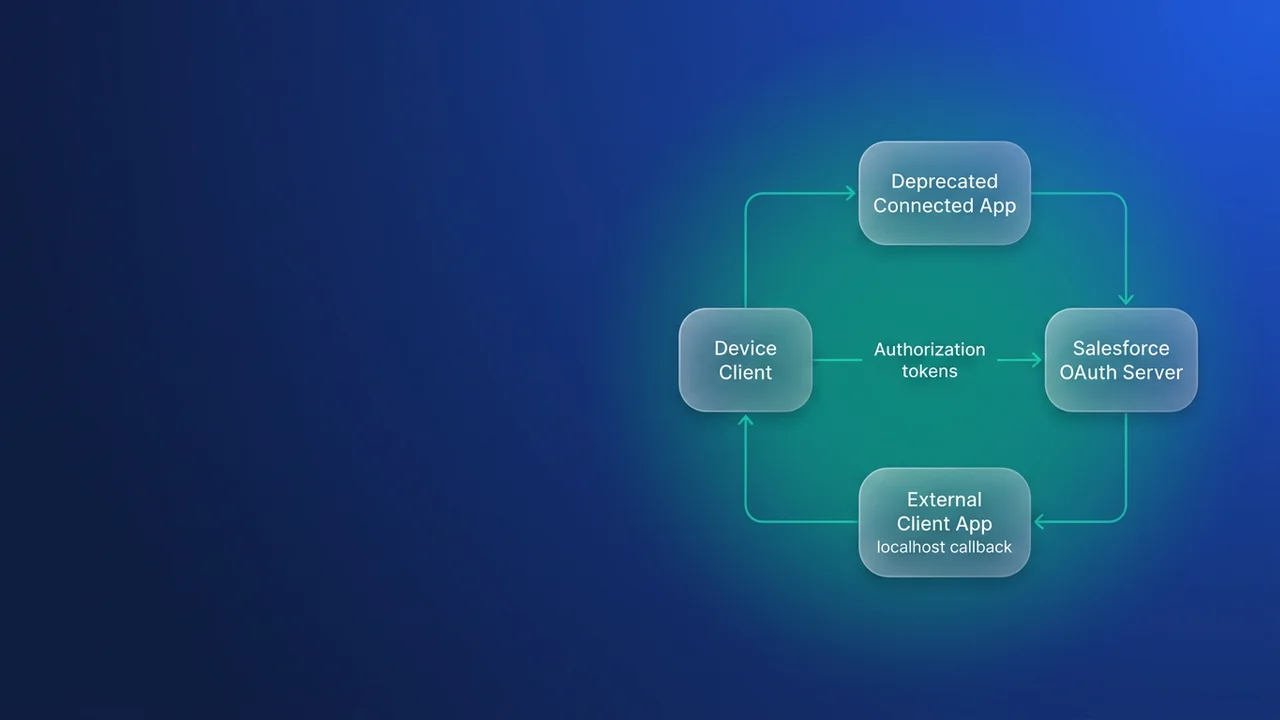

On 30 November 2026 Salesforce starts blocking the OAuth 2.0 device flow for every app except local External Client Apps with a localhost callback URL, and no setting brings it back for connected apps. If a kiosk, a headless script, an IoT gateway or a CI job signs in by showing a user code and waiting for someone to approve it, that client has about nine weeks left. You need to find those clients, decide which ones should keep the device flow at all, and move them before enforcement.
What 30 November actually blocks
The release update is called "Restrict the OAuth 2.0 Device Flow to Local External Client Apps (Release Update)". It became available in late Summer '26 and applies to connected apps and External Client Apps (ECAs) in all editions. Salesforce says the goal is to prevent illegitimate use of the device flow, and it enforces the change on 30 November 2026 by blocking device flow requests against any app that doesn't meet the new criteria.
After enforcement, the device flow works only when both of these are true:
- The app is a local External Client App.
- Its callback URL is a localhost address with a port, such as
http://localhost:1717/OauthRedirectorhttps://localhost:8443/callback.
Connected apps, packaged ECAs, and local ECAs with any callback other than localhost are all excluded. A callback on a hosted domain, a container hostname or a public URL does not qualify, even when the ECA itself is local.
In ECA terminology, local is the opposite of packaged: a local ECA is created and owned in your org, and a packaged ECA arrives through a package install. Software Insights reads "local" as "the client runs on the user's own machine", but the Help text lists packaged ECAs as explicitly excluded, so plan against the ownership reading.
One consequence follows, and this part is my own reading of the release note. The migration tool turns a packaged connected app into a packaged ECA, and packaged ECAs are excluded from the device flow. An ISV whose packaged app relies on the device flow therefore can't keep it through migration and will have to change the flow. If that describes your product, confirm with Salesforce before you commit engineering time.
Find every device-flow client in the org
LoginHistory shows which apps are signing in, and metadata shows which apps have the device flow enabled. LoginHistory does not record which OAuth flow a login used, so you need both.
Which apps are live
Start at Setup > Connected Apps OAuth Usage, which lists every app that has authenticated in the org. Then get volume and failures per user and app from LoginHistory. I run this through sf data query against production:
SELECT UserId, Application, Status, COUNT(Id) attempts
FROM LoginHistory
WHERE LoginTime = LAST_N_DAYS:180
GROUP BY UserId, Application, Status
ORDER BY COUNT(Id) DESC
LoginHistory keeps about six months of data, so a 180-day window covers everything the org still holds and catches clients that only sign in now and then. Application and Status can go in GROUP BY but not in WHERE. You cannot write WHERE Application = 'Warehouse Kiosk', so group first and filter the results in memory. Filtering on LoginType narrows the result, but check which values your org actually records before you rely on one. The Software Insights triage filters on LoginType LIKE 'OAuth%', while Salesforce Dictionary's guide to the username-password retirement points at the Remote Access 2.0 login type. The Apex below accepts either.
For a quick pass in anonymous Apex, this adds up successful OAuth logins per app and flags the ones you already suspect:
// Anonymous Apex: successful OAuth logins per app.
// 90 days keeps the query under the row limit.
Set<String> suspects = new Set<String>{
    'Warehouse Kiosk', 'Warehouse_Kiosk',
    'Sensor Gateway', 'Sensor_Gateway'
};
Map<String, Integer> loginsByApp = new Map<String, Integer>();

for (AggregateResult row : [
    SELECT Application, Status, COUNT(Id) total
    FROM LoginHistory
    WHERE LoginTime = LAST_N_DAYS:90
      AND (LoginType = 'Remote Access 2.0' OR LoginType LIKE 'OAuth%')
    GROUP BY Application, Status
]) {
    String app = (String) row.get('Application');
    String status = (String) row.get('Status');
    // Status cannot be used in WHERE, so filter it here
    if (app == null || status != 'Success') {
        continue;
    }
    Integer current = loginsByApp.containsKey(app) ? loginsByApp.get(app) : 0;
    loginsByApp.put(app, current + (Integer) row.get('total'));
}

for (String app : loginsByApp.keySet()) {
    String marker = suspects.contains(app) ? '  <-- check device flow' : '';
    System.debug(app + ': ' + loginsByApp.get(app) + marker);
}
LoginHistory records an app under either its label or its API name, depending on how the app was created, which is why the suspect set holds both forms. An app that looks idle under one name may be busy under the other. Deleting it on that basis breaks whatever is still authenticating through it. Also, every LoginHistory row an aggregate query reads counts toward the Apex query row limit, so in a busy org run the SOQL through the CLI instead.
Which apps have the device flow switched on
Retrieve the connected app metadata and search it. I match on the word itself because I don't want to depend on an exact element name:
# Pull every connected app definition into the current DX project
sf project retrieve start --metadata ConnectedApp --target-org prod-admin

# List the definitions that mention the device flow at all
grep -il device force-app/main/default/connectedApps/*.connectedApp-meta.xml

# For one hit, show the device setting and the callback lines together
grep -in -e device -e callback force-app/main/default/connectedApps/Warehouse_Kiosk.connectedApp-meta.xml
Read the device flow setting and the callback URL side by side for each match. For ECAs you already have, check each app's OAuth settings in Setup, because a local ECA with the device flow enabled and a non-localhost callback will also be blocked on 30 November.
Decide per app: migrate, switch flows, or remove
Put the two lists side by side and each app lands in one of these rows.
| What you found | What I would do | Deadline |
|---|---|---|
| Device flow on, in use, localhost callback, a person approves the code | Migrate to a local ECA and keep the device flow | 30 Nov 2026 |
| Device flow on, in use, callback on a server, container or CI host | Switch to JWT bearer or client credentials | 30 Nov 2026 |
| Device flow on, no recent logins | Turn the device flow off | Now |
| In use, device flow off | Migrate to an ECA | Connected app end of support (Summer 2027) |
| No logins at all | Delete the app | Now |
Most of the work sits in the second row. A build server or scheduled job has no local user to approve a code in a browser, so after enforcement the device flow is off the table for it. These integrations were a poor fit for the device flow anyway. Usually someone approved the code once and the job has lived on the refresh token ever since.
For server-side work I default to the JWT bearer flow. The client signs an assertion with a private key and the integration user is pre-authorised, so nobody has to approve anything and no long-lived refresh token sits on the server. The cost is owning the certificate: someone has to rotate the key and know when it expires. Client credentials is quicker to set up and runs as a single execution user, but it puts a client secret on the server that you have to store and rotate. I use client credentials for low-privilege, single-purpose jobs and JWT bearer for anything that touches sensitive data or runs across several orgs. For setup detail, see JWT bearer flow with packaged External Client Apps and a webhook integration built on the JWT bearer flow.
Migrating a connected app to an External Client App
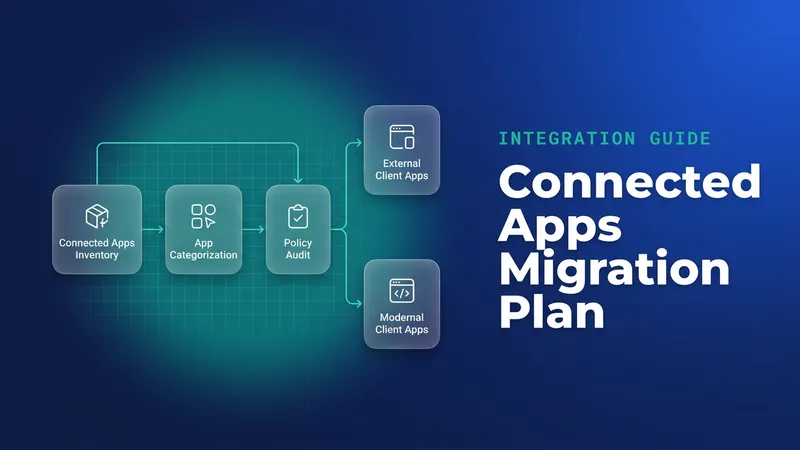
The tool is in App Manager: select the connected app and choose "Migrate to External Client App". It handles single-org unpackaged apps, unpackaged apps distributed to other orgs, and apps inside 1GP and 2GP managed packages. For packaged apps, customer OAuth flows, tokens and active sessions stay valid through the package upgrade, so subscribers do not have to reauthorise.
Scope evaluation, IP relaxation and refresh token policy all depend on app configuration, so test them in a sandbox even though the tokens carry over. Before you migrate, use the OAuth Usage page to delete dead apps so you are not carrying them forward.
For a device-flow client, the migration is only half the job. Once the ECA exists, enable the device flow in its OAuth settings and set a localhost callback URL. Salesforce Help documents the device flow setup for External Client Apps. Then confirm which consumer key the client is using, and run a complete device login from start to finish.
The release update is already available, which gives you room for a staged plan:
- Weeks 1 and 2: review OAuth Usage, run the LoginHistory query and grep the metadata. Delete dead apps and turn off unused device flow settings first, so there is less to migrate. Contact third-party device owners now, because a vendor config change can take weeks to ship.
- Weeks 3 and 4: enable the release update in a full sandbox and see which clients break. Rebuild server-side clients on JWT bearer or client credentials.
- Weeks 5 to 7: migrate interactive clients to local ECAs in production, one app at a time, with the device owner on hand for the first login.
- Week 8 onward: keep this as buffer, and watch LoginHistory for failed logins against the old app names.
The rest of the auth calendar
The device flow change is the first of several dated auth changes.
| Change | Date | What to do |
|---|---|---|
| Device flow restricted to local ECAs with localhost callback | 30 Nov 2026 | Migrate or switch flows as above |
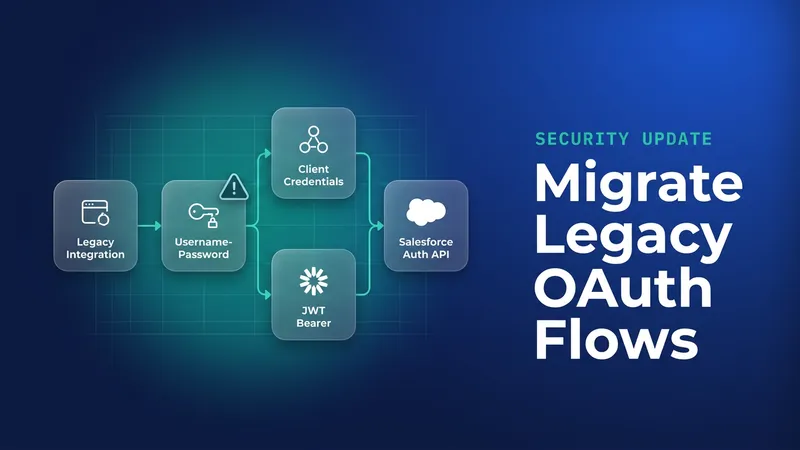
| Username-password OAuth flow retired (moved from Winter '27) | 20 Feb 2027 | Move those integrations to JWT bearer or client credentials |
| User-agent and hybrid user-agent flows retired (per Software Insights; confirm in Release Updates) | 20 Feb 2027 | Find clients that request response_type=token and move them to the web server flow with PKCE |
| Connected apps reach end of support | Summer 2027 | Migrate all remaining connected apps to ECAs |
When the username-password flow is enforced, integrations still using it start getting authentication errors with no change on their side. If discovery turns up username-password integrations, fix them in the same pass while the inventory is fresh. There are also reports of a Maintain Your Email Verification Exception release update enforced on 1 December 2026, replacing the cancelled Adopt Authorized Email Domains update; that is not yet confirmed from the Help page. For every date here, treat Setup > Release Updates in your own org as the source of truth.
What to watch for
- Match LoginHistory on both label and API name before you call an app unused.
- A local ECA with a hosted callback URL is still blocked. Check the callback on every ECA, including ones built this year.
- ISVs with a packaged app on the device flow should assume migration will not keep it, and plan a flow change.
- Migration keeps tokens and sessions, but scope evaluation, IP relaxation and refresh token policy still need a test.
- Anonymous Apex over LoginHistory can hit the query row limit in large orgs. Use the CLI there.
- The Salesforce CLI is not affected.
sf org loginoffers web, jwt, sfdx-url and access-token, and current versions have no device option.
Leave a Comment