
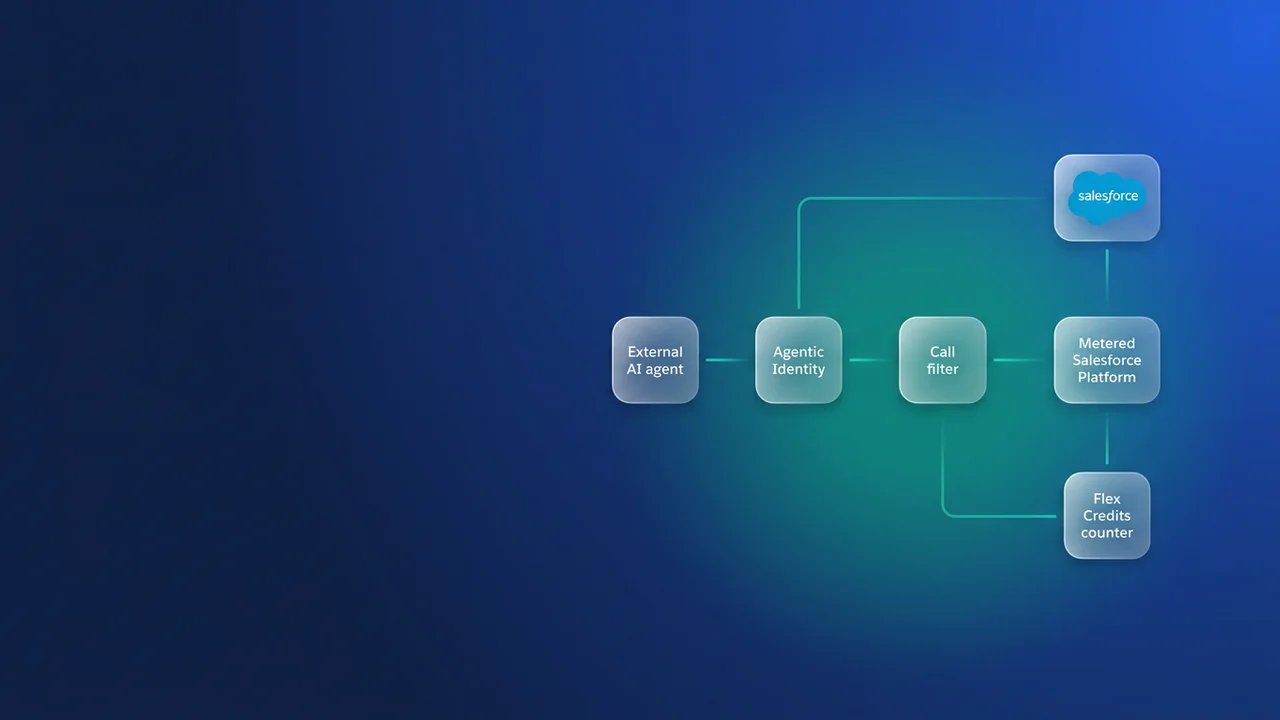

If Claude, ChatGPT or an in-house agent calls your org through MCP or the REST API today, Salesforce is changing how that traffic is identified and billed. Each successful call from a registered agent becomes a Headless Platform Interaction (HPI) charged against Flex Credits, and the agent has to stop running on a human user's login. The per-call multiplier is unpublished, so the decisions you can make now are structural: which agents you have, what identity each one moves to, and how many calls each task needs.
What gets metered, and what keeps today's pricing
Salesforce Help article 005360285, Understand AIforce Impact (published 17 September 2026), sets out the model. AIforce is the new name for the Headless 360 programme announced at TDX 2026, and its Headless Toolkit is how agents work against Salesforce without a browser. HPI is a new usage type in the Customer 360 Platform category of the Flex Credits Rate Card. The counting rule is simple: one successful call by a registered agent, over MCP or direct API, equals one HPI, tracked in Digital Wallet.
| Traffic | Counts as HPI? | Notes |
|---|---|---|
| Registered agent calling a Salesforce MCP server | Yes, once a multiplier is set | Requires Agentic Identity |
| Registered agent calling REST, SOAP or Apex REST directly | Yes, once a multiplier is set | Requires Agentic Identity |
| Traditional integration (middleware sync, ETL, scheduled jobs) | No | Current pricing and security model continue |
| Any agent call in a sandbox, scratch org or Developer Edition org | No | Exempt from HPI metering |
The multiplier is listed as TBA, so nothing is metered yet, and Salesforce has committed to 30 days' notice before it sets a number. Once metering begins, only active production orgs consume credits. No price per call has been published, so treat any figure on a partner slide as a guess.
The Help article does not define exactly where agentic traffic ends and traditional integration begins. A middleware flow triggered by an LLM, or a scheduled job that hands records to an agent, sits in grey territory, and that boundary is not yet confirmed. Take your edge cases to your account executive and get the answer in writing. For how this differs from Agentforce's per-outcome billing, see our breakdown of the resolution-based pricing model.
Agentic Identity replaces the borrowed integration user
Many external agents today authenticate through a connected app as a person or a shared integration user. Registration under Agentic Identity gives each agent its own credentials (Salesforce compares it to issuing the agent its own badge), and that identity is what lets Salesforce see, govern and bill the agent's traffic. It also lets admins grant the agent less access than the human it used to impersonate.
Salesforce lists four steps:
- Confirm the org is enabled for Flex Credit billing. Salesforce Foundations qualifies and is currently listed at $0; other qualifying SKUs also work.
- Register each agent through Agentic Identity with scoped permissions.
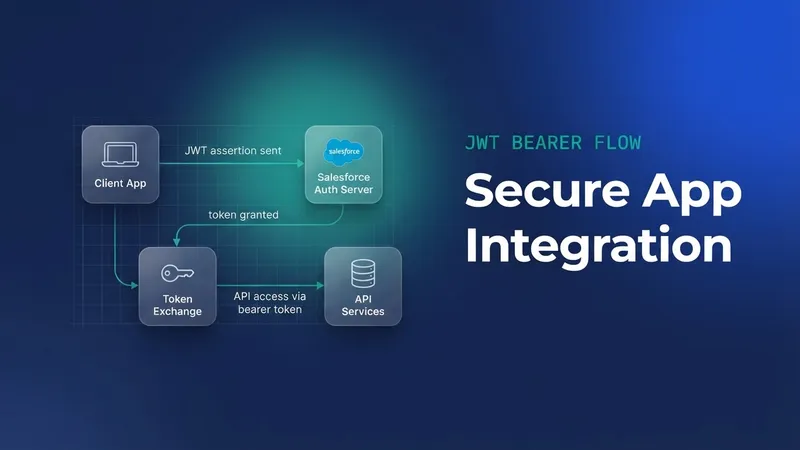
- Reconfigure each MCP client or API-calling agent with new OAuth credentials tied to the registered identity.
- Reconnect. From then on, each successful call is logged as an HPI.
Treat step 2 as a permission redesign. I have seen an agent running on an integration user with Modify All Data update records the requesting user could never have opened, and nobody noticed for weeks because the audit trail only showed the integration user. Build one permission set per agent, give it object and field access that matches the tools it exposes, and leave out View All and Modify All. Sharing and field-level security still decide what the agent can read, and page layouts hide nothing from it; the sharing model post covers why.
Step 3 is a cutover you run once per agent. Create the new credentials in a sandbox first and run the agent's regression prompts against them. Then swap the production secret in a planned window and revoke the old token straight after, so the agent cannot fall back to the human login.
The dates that drive your plan
Salesforce is targeting November 2026 for security controls, agent registration and the new billing model, released together. Your deadline depends on contract status and on whether you use MCP.
| Customer situation | Register agents | Move to new billing |
|---|---|---|
| New customer (bought on or after 17 September 2026) | Within 3 months of the notice that Agentic Identity is available | Under the new model |
| Existing customer, agents on direct API only | At renewal | At renewal |
| Any customer using a Salesforce MCP server | Within 3 months of the availability notice | Follows contract status above |
The MCP row catches people out. An existing customer whose renewal falls in 2028 but who connected Claude to a Salesforce MCP server last month still has three months from the notice to register that agent. Metering runs on a separate clock: it starts 30 days after Salesforce publishes a multiplier, whenever that happens.
Design tools so one task costs one call
The billing unit is the successful call, so your tool design sets your bill. A support-triage agent given raw sObject tools will typically describe Account and Case, query the account, query contacts, query open cases, query entitlements, re-read the case to verify state, update it, then read it back to confirm. That comes to roughly a dozen calls for one task. The same task through a single endpoint that assembles the context server-side costs one.
@RestResource(urlMapping='/agent/v1/case-triage/*')
global with sharing class CaseTriageService {

    global class TriageContext {
        public Account account;
        public List<Case> openCases;
        public List<Entitlement> activeEntitlements;
    }

    @HttpGet
    global static TriageContext getContext() {
        RestResponse res = RestContext.response;
        String rawId = RestContext.request.params.get('accountId');
        Id accountId;
        try {
            accountId = Id.valueOf(rawId);
        } catch (Exception e) {
            res.statusCode = 400;
            return null;
        }

        List<Account> accounts = [
            SELECT Id, Name, Industry, Type, Owner.Name
            FROM Account
            WHERE Id = :accountId
            WITH USER_MODE
            LIMIT 1
        ];
        if (accounts.isEmpty()) {
            res.statusCode = 404;
            return null;
        }

        TriageContext ctx = new TriageContext();
        ctx.account = accounts[0];
        ctx.openCases = [
            SELECT Id, CaseNumber, Subject, Priority, Status, CreatedDate
            FROM Case
            WHERE AccountId = :accountId AND IsClosed = false
            WITH USER_MODE
            ORDER BY CreatedDate DESC
            LIMIT 20
        ];
        ctx.activeEntitlements = [
            SELECT Id, Name, StartDate, EndDate, SlaProcess.Name
            FROM Entitlement
            WHERE AccountId = :accountId AND Status = 'Active'
            WITH USER_MODE
        ];
        return ctx;
    }
}
with sharing and WITH USER_MODE keep the agent's scoped permission set in charge of what comes back. The agent calls GET /services/apexrest/agent/v1/case-triage/?accountId=001... once and gets everything it needs to decide. Pair it with a second task-shaped endpoint or invocable action for the write, and verify-then-act becomes two calls.
| Approach | Calls per triage task | Agent flexibility | Who owns the logic |
|---|---|---|---|
| Raw sObject tools over MCP or REST | Around 8 to 12 | High | The agent's prompt |
| Composite API request | 1 request; subrequest counting not yet confirmed | Medium | The agent |
| Apex REST endpoint or invocable action | 1 | Lower, fixed response shape | Your Apex and tests |
| Replicated data store outside Salesforce | Zero HPIs for reads | High | External system, with no sharing enforcement |
I would build the Apex row. You give up some agent flexibility, and you take on Apex you have to test, version in the URL and maintain. In return the call count is predictable and governed, and you can forecast the bill once the multiplier lands.
Copying data out is the expensive saving
Per-interaction pricing gives teams a reason to keep agents away from Salesforce. Agents check state before they act, and if every check costs credits, the tempting shortcut is to sync Salesforce data into a store the agent can query freely, or move decision logic into external tools. The agent then reads and decides outside the platform that MCP and the Headless Toolkit were built to govern. A replica loses sharing and field-level security, and it goes stale between syncs, so the agent's pre-action check reads data that may already be wrong. I would pay for governed calls and cut how many you make by design.
Sandboxes are exempt from HPI metering, so run a few hundred scripted tasks per agent there and record calls per task from your endpoint logs. That number, multiplied by expected task volume, is the input your finance team will need on the day the multiplier is published.
Find the agents already calling your org
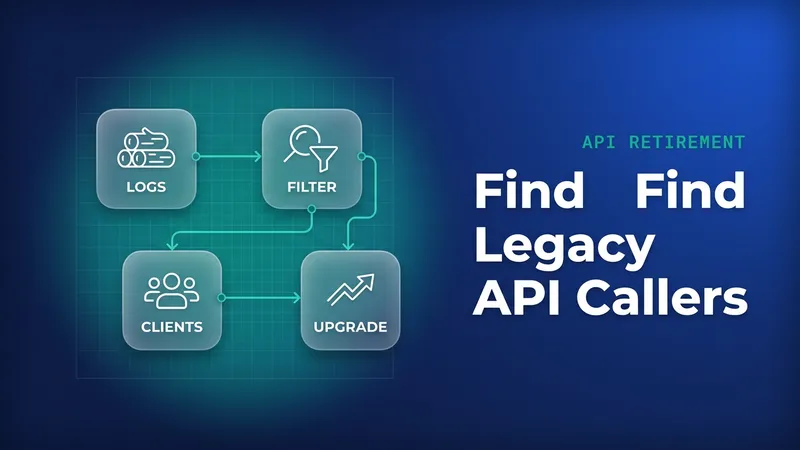
Start with login history grouped by application. Agents running on human or integration users show up as OAuth logins against their connected app.
SELECT Application, LoginType, COUNT(Id) logins
FROM LoginHistory
WHERE LoginTime = LAST_N_DAYS:30
AND Status = 'Success'
GROUP BY Application, LoginType
ORDER BY COUNT(Id) DESC
Then list live OAuth tokens to see which user each app runs as and how often it is used. Setup > Connected Apps OAuth Usage shows the same data in the UI.
SELECT AppName, UserId, CreatedDate, LastUsedDate, UseCount
FROM OauthToken
ORDER BY LastUsedDate DESC
If you license Event Monitoring, the ApiTotalUsage event log file gives call volumes per connected app, the closest thing you have today to a future HPI count.
SELECT Id, EventType, LogDate, LogFileLength
FROM EventLogFile
WHERE EventType = 'ApiTotalUsage'
AND LogDate = LAST_N_DAYS:7
For each application that turns out to be an agent, record its business owner, the user it runs as, whether it connects over MCP or direct API, its daily call volume, the tools it exposes, the target permission set and a cutover date. Any agent on MCP goes to the top of the list because of the 3-month window.
What to watch for
- The multiplier and price per HPI are unpublished. Watch for the 30-day notice and budget only from measured call counts.
- The boundary between agentic and traditional traffic is not yet confirmed. Get your account executive's ruling on hybrid integrations.
- How Composite and batch subrequests are counted is not yet confirmed.
- Salesforce has not detailed what counts as successful. Find out whether 4xx responses from your own Apex REST endpoints count before you rely on them for validation.
- Agent retry loops cost money. A client that retries on timeout after the server already succeeded produces two successful calls, so make write endpoints idempotent and set client timeouts above your endpoint's p95.
- Credentials tied to a human user break when that person leaves. Agentic Identity removes that dependency once you revoke the old token.

Leave a Comment