
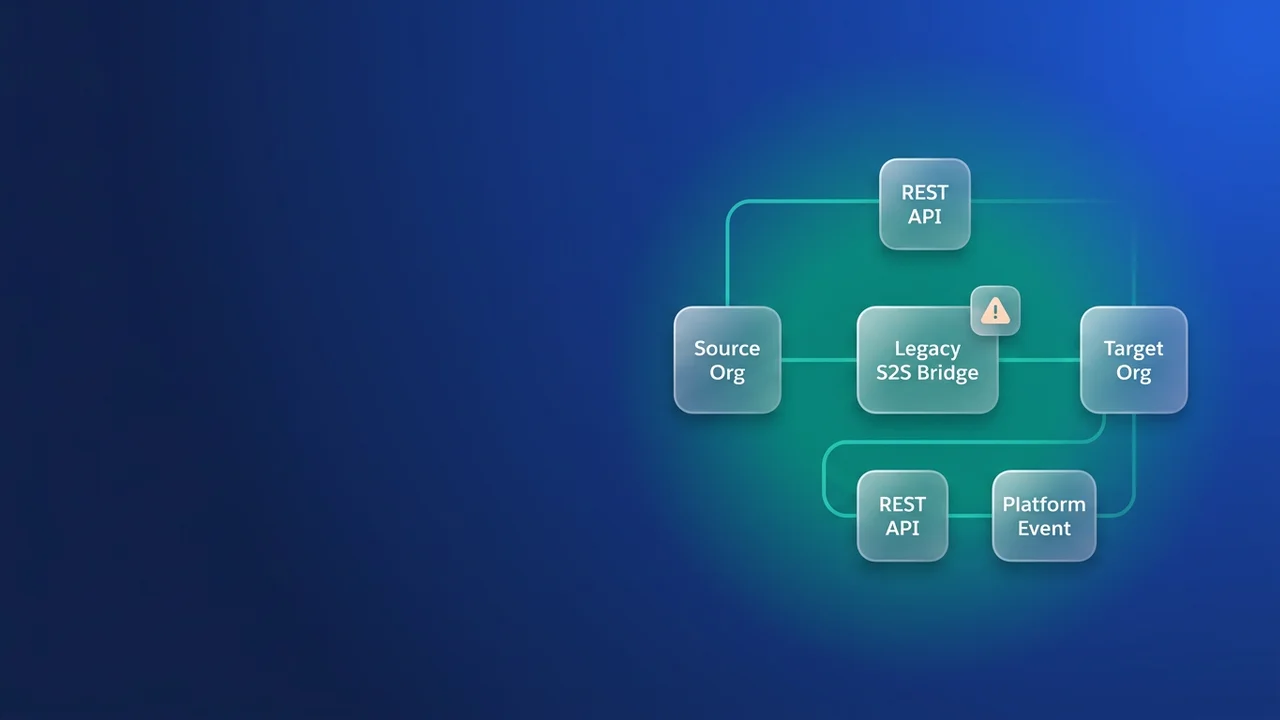

Salesforce to Salesforce (S2S) is in the last phase of its retirement. A release update titled "Salesforce to Salesforce Is Being Retired" auto-activates with Spring '27, and after that S2S will no longer function in any org, sandboxes included. Some of what breaks will raise errors you can see. The bigger risk is automation that stops firing without leaving anything in the logs.
What fails loudly and what fails silently
The retirement has come in three steps. Spring '26 stopped S2S from being enabled in new orgs and blocked new connections, though existing ones kept working. Summer '26 ended official support: connections still sync, but Salesforce will not troubleshoot sync failures. Spring '27 retires S2S everywhere. Salesforce's own notice is the Salesforce Help retirement article. None of the sources I checked give a single production date for Spring '27, so get your instance's date from the release calendar and Trust. The Spring '27 sandbox preview arrives before production, as in every release, and that preview window is your real testing deadline.
PartnerNetworkRecordConnection and PartnerNetworkConnection exist only while S2S is enabled, so once the feature is retired, Apex or SOQL that queries them fails at runtime. Flows with a Get Records element on those objects fault too. You will see these as exception emails and fault paths.
The silent failures come from fields on your own records. ConnectionReceivedId stops being populated. Any trigger or Flow that branches on it keeps running, and the branch is never taken again. The usual shape is a routing trigger like this one:
trigger ShipmentRouting on Shipment__c (before insert) {
    Id partnerQueueId = ShipmentRoutingSupport.partnerQueueId();
    for (Shipment__c s : Trigger.new) {
        if (s.ConnectionReceivedId != null) {
            s.OwnerId = partnerQueueId;
        }
    }
}
Nothing throws and no test fails. Records just land with the wrong owner. Validation rules and reports that reference ConnectionReceivedId or ConnectionSentId keep evaluating against an empty value. Any process waiting for the other org to push a field update never gets one, and unless a test asserts the owner or field value, nobody notices until users report misrouted records.
Find every S2S dependency, in both orgs
Each side of a connection has its own configuration and its own PartnerNetworkRecordConnection rows, so run the inventory in every org involved. Start with the connections:
SELECT Id, ConnectionName, ConnectionStatus
FROM PartnerNetworkConnection
Next, export the shared-record mapping. You cannot rebuild it after retirement, because it is the only place that pairs your record ID with the partner org's record ID:
SELECT Id, LocalRecordId, PartnerRecordId, ConnectionId, Status,
       ParentRecordId, EndDate, CreatedDate, LastModifiedDate
FROM PartnerNetworkRecordConnection
A row with an EndDate is a record that has already stopped sharing. Keep those rows anyway; they explain historical duplicates later.
SOQL cannot filter on the Body field of ApexClass or ApexTrigger, so search retrieved metadata instead. One retrieve brings back code, Flows and object metadata, and one grep covers all of it:
sf project retrieve start --metadata Flow --metadata ApexClass --metadata ApexTrigger --metadata CustomObject --metadata CustomObject:Account --metadata CustomObject:Opportunity --metadata CustomObject:Case --target-org fulfilment-prod --output-dir s2s-audit
grep -rlE 'ConnectionReceivedId|ConnectionSentId|PartnerNetwork' s2s-audit
The CustomObject wildcard skips standard objects, so name each shared standard object. Source format brings each object's validation rules and list views with it. Reports are retrieved by folder, so list the folders first or check report types on shared objects by hand. Managed package code has a hidden body, so ask each vendor whether their package uses S2S. Record every hit in one sheet with the owning team, what it does, and whether it fails loudly or quietly; the quiet ones are where your tests need field assertions.
Choose a replacement for Salesforce to Salesforce
Salesforce's release update recommends four paths: Partner Cloud, Data Cloud One, MuleSoft Anypoint and MuleSoft for Flow. The Summer '26 architect highlights matches each one to a use case:
- Data Cloud One for unified data access across orgs with consistent semantics.
- Partner Cloud for sharing and collaboration with external partners.
- MuleSoft Anypoint for integrations that need transformation, routing, error handling or orchestration.
- MuleSoft for Flow for process-level use cases owned by declarative-first teams.
The same blog calls S2S a "low-friction shortcut", which is fair. It cost nothing extra, and ClonePartner, quoting Salesforce's retirement article, reports that the alternatives carry "some license or cost impact". None of them has an automated migration path. For scale, ClonePartner cites Vendr's 2025 pricing data putting the median MuleSoft Anypoint contract at about $60,000 a year for mid-market buyers.
The vendor guidance leaves out the native patterns. Platform Events and REST callouts run on licences you already have; Salesforce Connect is a paid add-on.
- Platform Events or Change Data Capture in the source org. Events do not cross orgs by themselves, so something has to deliver them: a Pub/Sub API client, middleware, or an outbound callout from a trigger or Flow.
- REST API calls from Apex into the partner org, using a Named Credential backed by an External Credential (OAuth client credentials or JWT) and upserting on an external ID field.
- Salesforce Connect's cross-org adapter, which shows the other org's records as external objects without copying them. It reads and can optionally write. Check your contract before you design around it.
| Option | Extra cost | Who builds and owns it | Data copied or live | Best fit |
|---|---|---|---|---|
| Partner Cloud | New licences | Your admins, through configuration | Shared with partners | The other side is a real external partner |
| Data Cloud One | New licences | Data and platform team | Unified access across orgs | Many orgs that need one consistent view |
| MuleSoft Anypoint | Large subscription | Integration team | Copied | Transformation, orchestration, many endpoints |
| MuleSoft for Flow | New licences | Admins, declaratively | Copied | Process-level sync owned by admins |
| Salesforce Connect cross-org | Paid add-on | Admins | Live, no copy | The partner org mostly reads |
| Platform Events or CDC | Included, plus a subscriber | Developers | Copied | Near real-time push between orgs you control |
| REST with Named Credentials | Included | Developers | Copied | Two internal orgs at modest volume |
What I would build for two internal orgs
For two orgs you own that move a few thousand records a day, I would write REST upserts from a queueable and buy no new licences. You pay in ownership: retries, monitoring and API consumption in the target org become your job, and MuleSoft would have handled most of that. With low volume and a stable field list, I take that trade. The guard at the top reads a hierarchy custom setting, so you can deploy the class well before cutover and it does nothing until Enabled__c is checked.
public with sharing class ShipmentPartnerSync implements Queueable, Database.AllowsCallouts {
    private static final String BASE =
        'callout:Partner_Org/services/data/v62.0/sobjects/Shipment__c/Source_Org_Record_Id__c/';
    private final List<Id> shipmentIds;

    public ShipmentPartnerSync(List<Id> shipmentIds) {
        this.shipmentIds = shipmentIds;
    }

    public void execute(QueueableContext ctx) {
        Partner_Sync_Settings__c settings = Partner_Sync_Settings__c.getOrgDefaults();
        if (settings == null || settings.Enabled__c != true) {
            return;
        }

        List<Integration_Error__c> errors = new List<Integration_Error__c>();
        for (Shipment__c s : [
            SELECT Id, Tracking_Number__c, Status__c, Carrier__c, Ship_Date__c
            FROM Shipment__c
            WHERE Id IN :shipmentIds
        ]) {
            Map<String, Object> payload = new Map<String, Object>{
                'Tracking_Number__c' => s.Tracking_Number__c,
                'Status__c' => s.Status__c,
                'Carrier__c' => s.Carrier__c,
                'Ship_Date__c' => s.Ship_Date__c,
                'Source_System__c' => 'Fulfilment_Org'
            };
            HttpRequest req = new HttpRequest();
            req.setEndpoint(BASE + s.Id);
            req.setMethod('PATCH');
            req.setHeader('Content-Type', 'application/json');
            req.setBody(JSON.serialize(payload));
            req.setTimeout(20000);

            try {
                HttpResponse res = new Http().send(req);
                Integer code = res.getStatusCode();
                if (code != 200 && code != 201 && code != 204) {
                    errors.add(new Integration_Error__c(
                        Record_Id__c = s.Id,
                        Status_Code__c = code,
                        Response__c = res.getBody().left(2000)
                    ));
                }
            } catch (CalloutException e) {
                errors.add(new Integration_Error__c(
                    Record_Id__c = s.Id,
                    Status_Code__c = 0,
                    Response__c = e.getMessage().left(2000)
                ));
            }
        }
        if (!errors.isEmpty()) {
            insert errors;
        }
    }
}
Split the ID list into chunks before you enqueue so each job stays under the 100-callout limit and the 120-second total callout time per transaction. With a 20-second timeout, keep chunks small or lower the timeout. Retry failures from a scheduled job that reads Integration_Error__c. If one request per record gets too slow, move to the sObject Collections upsert (up to 200 records per request) before you consider middleware. I would choose MuleSoft once there are more than two orgs or real transformation logic, Partner Cloud when the other org belongs to a partner company, and Salesforce Connect when the partner org only needs to read.
Cutover: keep the ID map, then re-key automation
In the receiving org, add Source_Org_Record_Id__c (Text, 18, External ID, Unique) to each synced object. Take the export from the sending org, where LocalRecordId is the source record and PartnerRecordId is its copy in the receiving org. Load a CSV into the receiving org that updates each PartnerRecordId record, setting Source_Org_Record_Id__c to the matching LocalRecordId. S2S keeps creating pairs until the connection stops, so the sequence below adds a second export taken after S2S is off. With both loads in, every pair can be reached by upsert, and the first sync after cutover updates records instead of creating copies. Deleting a PartnerNetworkRecordConnection row stops sharing that record, so finish the exports before anyone cleans up connections.
Every check on ConnectionReceivedId then moves to a field your new integration sets on purpose. The sync above writes Source_System__c, so the routing trigger becomes:
trigger ShipmentRouting on Shipment__c (before insert) {
    Id partnerQueueId = ShipmentRoutingSupport.partnerQueueId();
    for (Shipment__c s : Trigger.new) {
        // Previously: s.ConnectionReceivedId != null
        if (s.Source_System__c == 'Fulfilment_Org') {
            s.OwnerId = partnerQueueId;
        }
    }
}
Checking the running user against a dedicated integration user also works, but a field survives someone changing which user runs the integration. Apply the same change to validation rules, Flow entry conditions and report filters that used ConnectionReceivedId or ConnectionSentId.
Make the switch hard. If S2S and the new sync both ran in production, S2S would keep forwarding Shipment__c records with no Source_Org_Record_Id__c, the new sync would find no match and create a second copy, and existing records would have two writers. Rehearse this order in a full or partial copy sandbox:
- Deploy Source_Org_Record_Id__c and Source_System__c to the receiving org.
- Run the seed load from the first export.
- Deploy ShipmentPartnerSync with Enabled__c unchecked, so every job exits at the guard.
- Open a short freeze window. Stop the S2S connection, export PartnerNetworkRecordConnection again, and seed every pair created since the first export.
- In the same window, check Enabled__c and deploy the re-keyed trigger with the validation rule, Flow and report changes.
- For a week, compare record counts between the orgs, check owners on new records, and look for duplicates.
- Only then remove the PartnerNetwork references from code and Flows.
The unique constraint stops the new sync from creating two records with the same Source_Org_Record_Id__c, so a missed seed shows up as two records sharing a business key: the old S2S copy with the field blank, and a new one the sync created.
SELECT Tracking_Number__c, COUNT(Id) copies
FROM Shipment__c
GROUP BY Tracking_Number__c
HAVING COUNT(Id) > 1
Any side-by-side comparison of S2S against the new sync belongs in the sandbox, where you compare outputs; two syncs should never write to the same production records. Then repeat the same order in production well before your instance's Spring '27 date, so nothing changes on the day the release update activates.
What to watch for
- The release update auto-activates. Plan as if you cannot postpone it.
- Support ended in Summer '26, so any sync failure between now and cutover is yours to debug alone.
- Tests that only check for no exception will miss the silent failures. Assert the owner, status or field value the old automation used to set.
- Use the 18-character ID on both sides of the seed load. A 15-character value will not match an upsert keyed on the 18-character form.
- The integration user in the partner org needs field-level access to Source_Org_Record_Id__c and Source_System__c, or upserts fail with field errors.
- Callouts into the partner org count against its daily API request allocation, so check the headroom before cutover.
- S2S could forward child records under a parent (ParentRecordId). Your replacement has to send parents before children and resolve lookups by external ID.

Leave a Comment