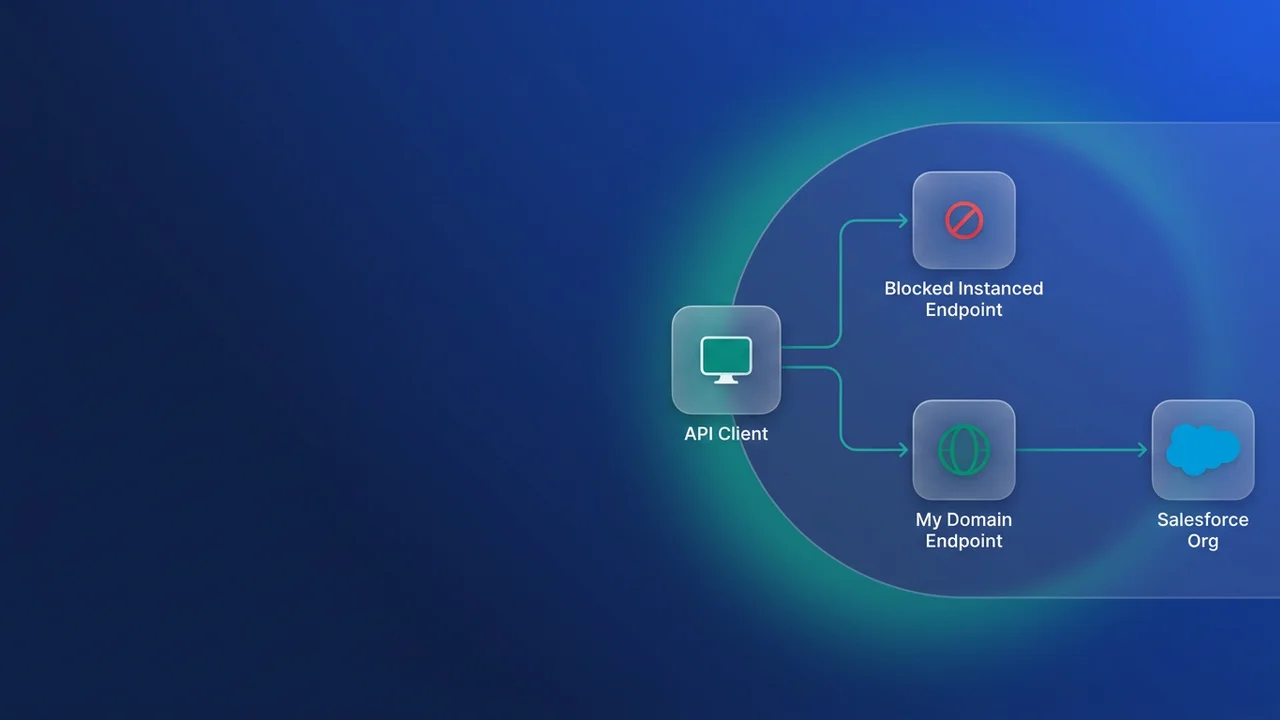

Salesforce is shutting down the routing service that used to forward API calls sent to the wrong instance host. If an integration you own calls na139.salesforce.com, cs42.salesforce.com or usa286.salesforce.com instead of your My Domain, it stops working on your instance's enforcement date. Every sandbox is already enforced. Production follows in four windows between January 12 and March 25, 2027, and the fix is a search plus a small code change, which fits comfortably in that time if you start the search this month.
What instanced URL enforcement blocks, and when
The release update is called Update Instanced URLs in API Traffic. It first appeared in Summer '25 and was due to be enforced in Spring '26, then slipped more than once before Salesforce settled on a phased schedule by instance. It applies to Lightning Experience and Classic in every edition except Database.com, and you can review it under Setup > Release Updates.
The enforcement targets incorrect instanced URLs: Salesforce is retiring the service that handled API traffic aimed at an instance name that doesn't match where the org actually lives. A hardcoded host that happens to match your current instance can still route today. It becomes incorrect the first time Salesforce moves your org to another instance, usually over a maintenance weekend, and a connector that still names the old host fails on the first call after the move. Remove the ones that work today as well.
| Org type | Enforcement window | Instances |
|---|---|---|
| Sandbox | Oct 22 to 23, 2026 | cs340, usa4s, usa6s, usa14s, usa16s, usa18s, deu10s, usa762s |
| Sandbox | Nov 3 to 5, 2026 | All other sandbox instances |
| Production and all other orgs | Jan 12 to 14, 2027 | USA12, NA241 |
| Production and all other orgs | Jan 26 to 28, 2027 | USA1000, USA322, USA354, USA568, USA926 |
| Production and all other orgs | Mar 2 to 4, 2027 | AP53, EU53, EU50, EU54, USA1224, USA1222, USA1132, USA1272, USA1212, USA1268, USA1280, USA1290, USA1294, USA1296, USA1298, USA1300, USA1302, USA1304, USA1306, USA1308, USA1330, USA1332 |
| Production and all other orgs | Mar 23 to 25, 2027 | All other instances |
To find your instance, use Salesforce Help article 000384755, View Instance Information for Your Salesforce Organization. One inconsistency to know about: the description in Help article 005228941 says production enforcement starts in November 2026, but the schedule table in the same article and the release note both put the first production window on January 12, 2027. I plan against the table.
If a sandbox integration started failing in late October or early November and nobody had deployed anything, check for an instance host first. On r/salesforce this month, admins reported HubSpot and ZoomInfo integrations breaking after an org moved from USA286 to USA1352; the symptoms match, though Salesforce has not tied those failures to this change. Expect the failure to be awkward to diagnose. Software Insights reports that once an instance is enforced, affected calls fail at the network layer before authentication, so your retry logic and alerting get no auth error to recognise.
Turn the block on in production before Salesforce does
Since August 31, 2026, you can switch on enforcement yourself. In Setup, type "My Domain" in Quick Find and open My Domain. Under Redirections, enable Block API traffic that uses an incorrect instanced URL. With it on, any call to an incorrect instanced URL gets 400 Bad Request. Once Salesforce enforces your instance, the setting is removed from the page, which is why your sandboxes no longer show it.
I would turn it on in production on a Tuesday morning, with every integration owner available, and leave it on, so the first failures land on a day you chose. The cost is that anything you missed fails in production on your schedule. If you can't accept that yet, turn it on for a few hours and watch the error logs and API usage for each integration user, then turn it off and fix whatever broke.
A short test window misses jobs that don't run inside it, such as a quarterly reconciliation or a sync that only runs at fiscal close. List those jobs before you test, and trigger them by hand with the block on if you can. A quarterly commission feed that still points at an old instance host would fail on its first run after a migration, and if its only signal is a success email, nobody notices when that email stops arriving.
Find every hardcoded instance host
Start with a text search. Export your middleware projects (MuleSoft, Boomi, Informatica, Jitterbit, whatever you run), clone the repositories that hold scheduled scripts and Salesforce metadata, and put Postman collections and environment files in the same folder.
# Instance hosts with a scheme: classic names (na, cs, eu, ap) and Hyperforce names
# (usa, deu, gbr, jpn and so on), including the sandbox 's' suffix
grep -rnEi 'https?://[a-z]{2,3}[0-9]+s?\.salesforce\.com' ./integration-audit

# The same hosts without a scheme (properties files, YAML, connection strings), counted per host
grep -rhoEi '\b[a-z]{2,3}[0-9]+s?\.salesforce\.com' ./integration-audit | sort | uniq -c
The pattern matches na139.salesforce.com, cs42.salesforce.com, usa12.salesforce.com, usa4s.salesforce.com, deu10s.salesforce.com, gbr10.salesforce.com and jpn156s.salesforce.com. Help article 000384755 explains why the prefix needs two or three letters: two-letter names such as AP0 run on Salesforce-managed first-party infrastructure, three-letter names such as GBR10 run on Hyperforce, and a trailing S marks a sandbox. It skips acme-logistics.my.salesforce.com, because the pattern requires digits immediately before .salesforce.com, and my has none.
Inside the org, list Named Credential endpoints and read through them:
SELECT DeveloperName, Endpoint FROM NamedCredential ORDER BY DeveloperName
Check Remote Site Settings and the token endpoint URLs on Auth Providers in Setup too. A remote site that allows an instance host usually means some code calls it.
| Where the host hides | How to find it | Fix |
|---|---|---|
| Apex calling back into its own org | grep the metadata repository | URL.getOrgDomainUrl() |
| Named Credentials | The SOQL query above | Point the endpoint at the My Domain URL |
| Middleware connections | Export the projects and grep them | My Domain login, then instance_url |
| Scheduled scripts and cron jobs | grep repositories and server crontabs | My Domain login, then instance_url |
| Postman collections | Export and grep | Set the base URL variable from the token response |
| Stored sessions | Query the integration's own database | Overwrite instance_url on every token refresh |
| Vendor and partner connectors | Ask the vendor in writing | Confirm they read instance_url per token response |
Stored sessions need their own pass because grep won't find them. Many integrations save the instance URL next to a refresh token when the org is first connected and reuse it indefinitely. The host lives in a database row, so query that table, then change the refresh code so it overwrites the stored value every time it gets a new token.
For vendor and partner integrations, ask one direct question: do you store the instance host when the connection is made, or read instance_url from each token response? If they store it, get a date for the fix.
Log in through My Domain, then follow instance_url
Salesforce's official fix is to send API traffic to the org's My Domain login URL, which doesn't change when the org moves to another instance. The release note adds that My Domain names are unique, so requiring them is also a security gain. For integration code, that means config holds the login host and nothing more. Every URL after authentication comes from the token response.
// Only the login host lives in config. Every other URL comes from the token response.
const LOGIN_HOST = process.env.SF_LOGIN_HOST; // https://acme-logistics.my.salesforce.com

async function getSalesforceSession() {
  const body = new URLSearchParams({
    grant_type: 'client_credentials',
    client_id: process.env.SF_CLIENT_ID,
    client_secret: process.env.SF_CLIENT_SECRET,
  });

  const res = await fetch(`${LOGIN_HOST}/services/oauth2/token`, {
    method: 'POST',
    headers: { 'Content-Type': 'application/x-www-form-urlencoded' },
    body,
  });
  if (!res.ok) {
    throw new Error(`Salesforce token request failed: ${res.status} ${await res.text()}`);
  }

  const { access_token, instance_url } = await res.json();
  // If sessions are persisted, write instance_url back on every token response.
  return { accessToken: access_token, instanceUrl: instance_url };
}

async function getOpenShipments() {
  const session = await getSalesforceSession();
  const soql = "SELECT Id, Name, Carrier__c FROM Shipment__c WHERE Status__c = 'Open'";
  const url = `${session.instanceUrl}/services/data/v62.0/query?q=${encodeURIComponent(soql)}`;

  const res = await fetch(url, {
    headers: { Authorization: `Bearer ${session.accessToken}` },
  });
  if (!res.ok) throw new Error(`Query failed: ${res.status}`);
  return (await res.json()).records;
}
For most orgs the token response carries a value like "instance_url": "https://acme-logistics.my.salesforce.com", which looks the same as the login host. Read it from the response anyway. The code then follows whatever Salesforce returns, and a future routing change won't send you back to config files. In production you would cache the token until it expires; I left caching out to keep the routing logic easy to see.
Apex that calls back into its own org has the same problem in miniature. Replace the constant with the org's domain URL:
public with sharing class FulfilmentLimitsService {
    // Before: private static final String ORG_BASE = 'https://na139.salesforce.com';

    private static String orgBase() {
        // Returns the org's My Domain URL, so an instance move changes nothing here
        return URL.getOrgDomainUrl().toExternalForm();
    }

    public static Map<String, Object> fetchLimits() {
        HttpRequest req = new HttpRequest();
        req.setEndpoint(orgBase() + '/services/data/v62.0/limits');
        req.setMethod('GET');
        req.setHeader('Authorization', 'Bearer ' + UserInfo.getSessionId());
        HttpResponse res = new Http().send(req);
        return (Map<String, Object>) JSON.deserializeUntyped(res.getBody());
    }
}
You don't need a Remote Site Setting for this callout, because the Apex Reference exempts API calls to the URL that getOrgDomainUrl() returns. Do delete any Remote Site Setting that still allows an old instance host, so no code can fall back to it. The session ID is less dependable. In asynchronous Apex (Queueable, Batch, @future and scheduled jobs), UserInfo.getSessionId() returns null when the job runs as the Automated Process user or another internal user, and you can't use it at all with a JWT-based access token. Sessions created by Lightning components aren't enabled for API access, so an @AuraEnabled method can't use its own session either. In those contexts, make the callout through a Named Credential that points at your My Domain URL.
The SOAP custom-domain trap
API logins need My Domain URLs, and a custom domain such as login.acme-logistics.com doesn't count. SOAP API logins that go through a custom domain fail with HTTP 400 once the block is on. Salesforce also lists a known issue, "Winter26 - SOAP login URL through visualforce pages throws 400", so Visualforce pages that call SOAP login are affected as well.
Salesforce's advice is to migrate these integrations to OAuth instead of fixing the custom domain setup, because SOAP API login() is being retired. If the OAuth work can't land before your window, pointing a SOAP login at My Domain works as a stopgap, but raise the migration ticket the same day or the stopgap becomes permanent.
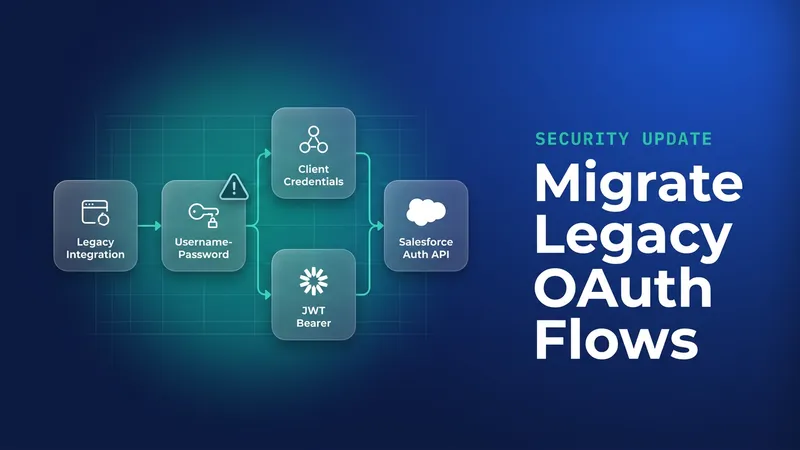
While you are in there, check which OAuth flow the same connectors use. The Software Insights write-up reports that the OAuth username-password flow retires on February 20, 2027, between the January and March windows. I haven't confirmed that date in a Salesforce source. Any middleware that sends a username and password to the token endpoint deserves a look while you are already editing it.
What to watch for
- Your sandboxes can't show you how production config will behave. They are already enforced and the toggle is gone, and production connections often use different hosts from sandbox ones.
- Monitoring that only alerts on 401 responses will miss this. Reported failures happen before authentication and the toggle returns 400 Bad Request, so alert on 400s and connection failures from integration endpoints too.
- Jobs that run monthly or less often won't fire during a short test. Trigger them by hand with the block on.
- The Help article's November 2026 production date conflicts with its own schedule table. Plan against the January to March windows, and don't read the later dates as a reason to start in the last week.
Leave a Comment