
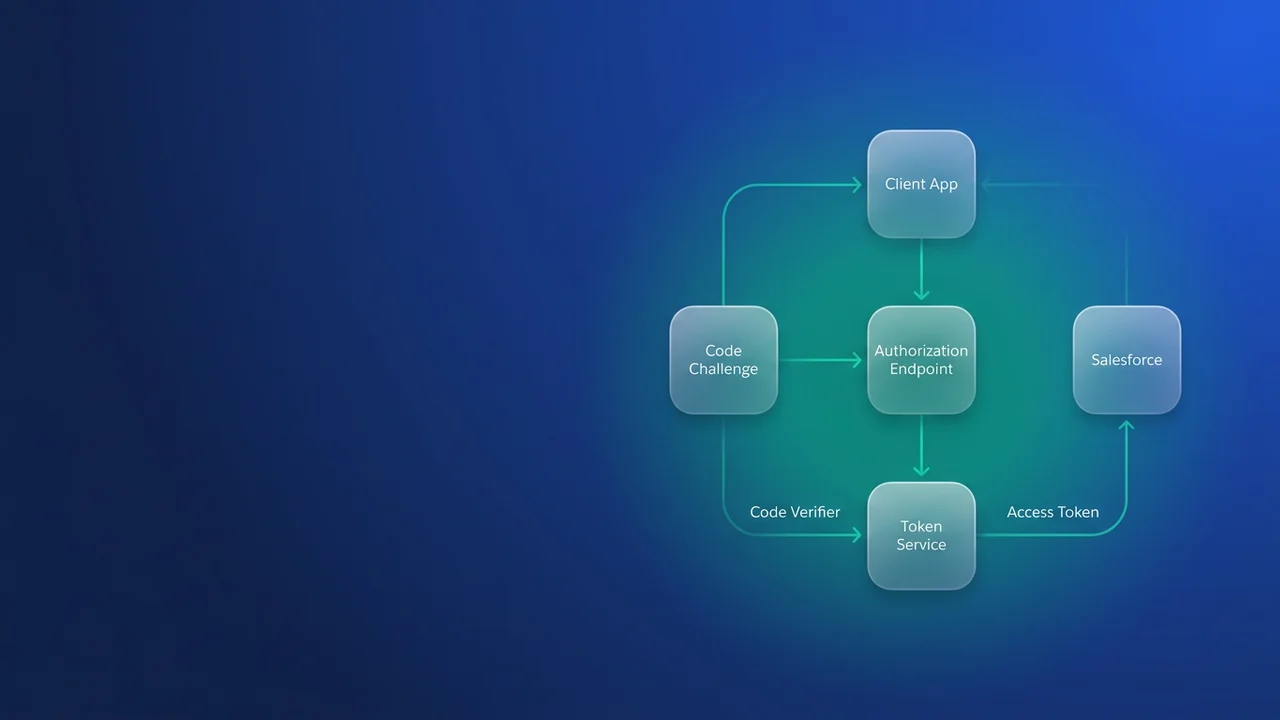

On February 20, 2027, Salesforce enforces the retirement of the OAuth user-agent flow and the hybrid user-agent flow. After that date, a client that calls the authorize endpoint with response_type=token and reads the access token out of the URL fragment stops getting new tokens. The replacement is the Web Server (authorization code) flow with PKCE, or the hybrid web-server flow with PKCE for mobile. You have about fourteen weeks to find every such client and move it.
The release update first appeared in late Summer '26. Confirm the date in Setup > Release Updates in your own org before you plan around it, since Salesforce has already moved the date of the sibling username-password retirement once.
Which clients the user-agent flow retirement affects
The client sends the user to /services/oauth2/authorize?response_type=token&client_id=...&redirect_uri=..., and Salesforce returns the browser to something like https://app.example.com/callback#access_token=00D...&instance_url=.... JavaScript on the callback page reads window.location.hash, stores the token and calls the REST API. Nothing ever hits the token endpoint, and the client holds no secret.
This was the standard advice for browser clients for years, so it turns up in places nobody files under integrations:
- single-page apps in React, Angular or Vue that call the Salesforce REST API directly
- browser extensions and bookmarklets that admins built for data fixes
- Electron and other desktop tools that open a browser window to log in
- older Mobile SDK hybrid apps, which use the hybrid user-agent variant
- internal dashboards built on an OAuth library configured for the implicit grant
Start in source control. A grep across the repositories your team owns finds most of them in minutes:
grep -rnE 'response_type=token|#access_token|location\.hash|oauth2/authorize' \
  --include='*.js' --include='*.ts' --include='*.jsx' --include='*.tsx' \
  --include='*.vue' --include='*.html' --include='*.page' .
Open every hit on oauth2/authorize, even where response_type=token is not on the same line. The parameter is often assembled from a config object a few lines away.
Finding them in the org
Code search covers only the code you own. Login History covers everything that has actually logged in, including vendor tools and browser extensions nobody registered with IT. Logins through these flows carry a LoginSubType of OauthUserAgent, OauthHybridUserAgent or OauthUserAgentIdToken. The Setup Login History page shows only recent logins, so query the object for the full six months:
SELECT LoginTime, UserId, Application, LoginSubType, LoginType, Status, SourceIp, Browser
FROM LoginHistory
WHERE LoginTime = LAST_N_DAYS:180
  AND LoginSubType IN ('OauthUserAgent', 'OauthHybridUserAgent', 'OauthUserAgentIdToken')
ORDER BY LoginTime DESC
Group by Application after export.
Salesforce keeps Login History for six months. The value stored in LoginSubType can also differ from the label in Setup, so before you trust an empty result, look up one login you know came from a user-agent client and adjust the IN list to its raw value.
The Application column names the connected app or External Client App. Cross-check it against Setup > Connected Apps OAuth Usage to see how many users each app affects; that page does not show the flow, which is why you need Login History as well. If the app ships in a managed package, the vendor has to fix it. Open a case now and get a version and a date in writing.
Seasonal tools are the usual gap: an extension used only during year-end close may not have logged in within six months. Ask business owners what they use seasonally.
Moving the client to Web Server flow with PKCE
The Web Server flow returns a short-lived authorization code in the query string, and the client exchanges it for tokens at /services/oauth2/token. PKCE ties the two requests together. The client generates a random code_verifier, sends its SHA-256 hash (base64url, method S256) as code_challenge on the authorize request, and presents the original verifier on the token request. Someone who intercepts the code cannot redeem it without the verifier.
Here is the browser side of an internal Case Triage SPA:
// triage-auth.js: runs in the Case Triage SPA
const SF_HOST = 'https://acme.my.salesforce.com';
const CLIENT_ID = '3MVG9_yourConsumerKey';
const REDIRECT_URI = 'https://triage.acme.internal/auth/callback/';

function base64url(bytes) {
  let bin = '';
  bytes.forEach((b) => { bin += String.fromCharCode(b); });
  return btoa(bin).replace(/\+/g, '-').replace(/\//g, '_').replace(/=+$/, '');
}

export async function startTriageLogin() {
  const verifier = base64url(crypto.getRandomValues(new Uint8Array(32)));
  const digest = await crypto.subtle.digest('SHA-256', new TextEncoder().encode(verifier));
  const challenge = base64url(new Uint8Array(digest));
  const state = base64url(crypto.getRandomValues(new Uint8Array(16)));

  sessionStorage.setItem('triage_pkce_verifier', verifier);
  sessionStorage.setItem('triage_oauth_state', state);

  const params = new URLSearchParams({
    response_type: 'code',
    client_id: CLIENT_ID,
    redirect_uri: REDIRECT_URI,
    code_challenge: challenge,
    code_challenge_method: 'S256',
    state,
    scope: 'api refresh_token'
  });
  window.location.assign(`${SF_HOST}/services/oauth2/authorize?${params}`);
}
On the callback page, check for an error and validate state, then hand the code and verifier to the backend:
export async function finishTriageLogin() {
  const qs = new URLSearchParams(window.location.search);
  const expected = sessionStorage.getItem('triage_oauth_state');
  if (qs.get('error')) {
    throw new Error(qs.get('error_description') || qs.get('error'));
  }
  if (!expected || qs.get('state') !== expected) {
    throw new Error('OAuth state mismatch, abandoning login');
  }
  const res = await fetch('/auth/exchange/', {
    method: 'POST',
    credentials: 'same-origin',
    headers: { 'Content-Type': 'application/json' },
    body: JSON.stringify({
      code: qs.get('code'),
      verifier: sessionStorage.getItem('triage_pkce_verifier')
    })
  });
  sessionStorage.removeItem('triage_pkce_verifier');
  sessionStorage.removeItem('triage_oauth_state');
  if (!res.ok) throw new Error('Token exchange failed');
  window.history.replaceState(null, '', '/');
}
Salesforce enforces the pairing strictly:
- challenge sent on authorize, no
code_verifieron the token request:invalid_grant code_verifiersent when no challenge was sent:invalid_grantcode_verifierthat does not match the challenge:invalid_grant- malformed
code_challengeon the authorize request:invalid_request
On the app, turn on "Require Proof Key for Code Exchange (PKCE) extension for Supported Authorization Flows" so a misconfigured client fails loudly at the authorize step. The right value for "Require Secret for Web Server Flow" depends on where the exchange runs, covered below. Use your My Domain host, or login.salesforce.com and test.salesforce.com, for both endpoints, and send an identical redirect_uri on both requests.
Hybrid mobile apps
Apps on the hybrid user-agent flow move to the hybrid web-server flow with PKCE. Which Mobile SDK version made that the default is not yet confirmed, so read the release notes for the SDK version your app ships and test login on a real device against a sandbox with the release update enabled. An app pinned to an old SDK has to upgrade the SDK to change flows.
Where the token exchange runs
The user-agent flow gave a browser client no safe place for a refresh token, so most of these apps simply made the user log in again. The Web Server flow can issue refresh tokens with the refresh_token scope, and now you have to decide where they live.
| User-agent flow (retiring) | Web Server + PKCE, exchange in browser | Web Server + PKCE, exchange on backend | |
|---|---|---|---|
| Where the token appears | URL fragment, then JS memory or storage | Token response delivered to browser JS | Backend only; browser holds an httpOnly session cookie |
| Client secret | None | None ("Require Secret for Web Server Flow" off) | Kept on the server, requirement left on |
| Refresh token | No safe place to store it | Stored in the browser | Stays on the server |
| CORS on OAuth endpoints | Not needed (redirect only) | Needed for the token endpoint | Not needed |
Salesforce's general CORS allowlist does not apply to unauthenticated resources, and the OAuth endpoints count as unauthenticated (OpenID Connect discovery is the exception). Newer API versions document a separate setting that enables CORS for some OAuth endpoints. I have not verified how it behaves, so if you plan a browser-only exchange, prove in a sandbox that the token endpoint accepts a POST from your origin before committing to that design.
For anything touching customer data I would build the backend column. A backend-for-frontend of about a hundred lines does the exchange, keeps the refresh token in its own session store and gives the browser only a cookie. Because the secret stays server side, you can leave both "Require Secret for Web Server Flow" and "Require Secret for Refresh Token Flow" on. The cost is one more service to deploy and run. A browser-only PKCE client is acceptable for a low-risk internal tool if CORS works in your org and the app has a short refresh token policy.
// server.js: backend-for-frontend for the Case Triage SPA (Node 18+, Express)
app.post('/auth/exchange/', express.json(), async (req, res) => {
  const form = new URLSearchParams({
    grant_type: 'authorization_code',
    code: req.body.code,
    client_id: process.env.SF_CLIENT_ID,
    client_secret: process.env.SF_CLIENT_SECRET,
    redirect_uri: 'https://triage.acme.internal/auth/callback/',
    code_verifier: req.body.verifier
  });

  const sfRes = await fetch('https://acme.my.salesforce.com/services/oauth2/token', {
    method: 'POST',
    headers: { 'Content-Type': 'application/x-www-form-urlencoded' },
    body: form
  });
  const tokens = await sfRes.json();
  if (!sfRes.ok) {
    return res.status(401).json({ error: tokens.error, detail: tokens.error_description });
  }

  const sid = await triageSessions.create({
    accessToken: tokens.access_token,
    refreshToken: tokens.refresh_token,
    instanceUrl: tokens.instance_url
  });
  res.cookie('triage_sid', sid, { httpOnly: true, secure: true, sameSite: 'lax' });
  return res.sendStatus(204);
});
The same exchange in curl, for testing by hand. The code is single use and expires quickly, so take it straight from the callback URL:
curl -s -X POST https://acme.my.salesforce.com/services/oauth2/token \
  -d grant_type=authorization_code \
  --data-urlencode code="$AUTH_CODE" \
  -d client_id="$SF_CLIENT_ID" \
  -d client_secret="$SF_CLIENT_SECRET" \
  --data-urlencode redirect_uri="https://triage.acme.internal/auth/callback/" \
  --data-urlencode code_verifier="$CODE_VERIFIER"

# Later, refresh on the server
curl -s -X POST https://acme.my.salesforce.com/services/oauth2/token \
  -d grant_type=refresh_token \
  -d client_id="$SF_CLIENT_ID" \
  -d client_secret="$SF_CLIENT_SECRET" \
  --data-urlencode refresh_token="$REFRESH_TOKEN"
Cutover timeline and the other February 20 deadlines
February 20, 2027 is a Saturday. I would plan backwards from it:
- November: finish the inventory from source control and Login History, and open cases with managed package vendors.
- December: enable the release update in a sandbox, build the PKCE client, and test login, refresh and logout end to end. Deploy the app settings (PKCE requirement, secret options, callback URLs) through your normal pipeline.
- January: ship each client to production and retest, keeping the old build ready to roll back.
- February: freeze auth changes for the week of the 20th and keep checking Login History for leftover user-agent subtypes.
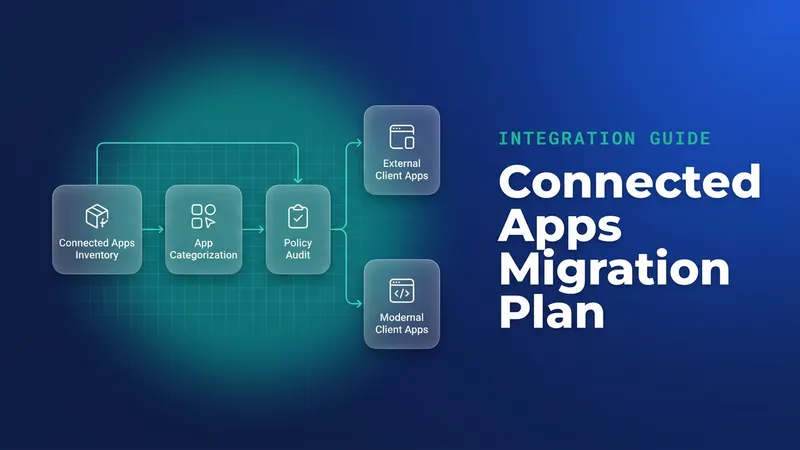
While each app is open, consider moving it from a connected app to an External Client App. Legacy connected apps lose full support in Summer '27 (connected apps end of support), and doing both in one release saves a second test cycle.
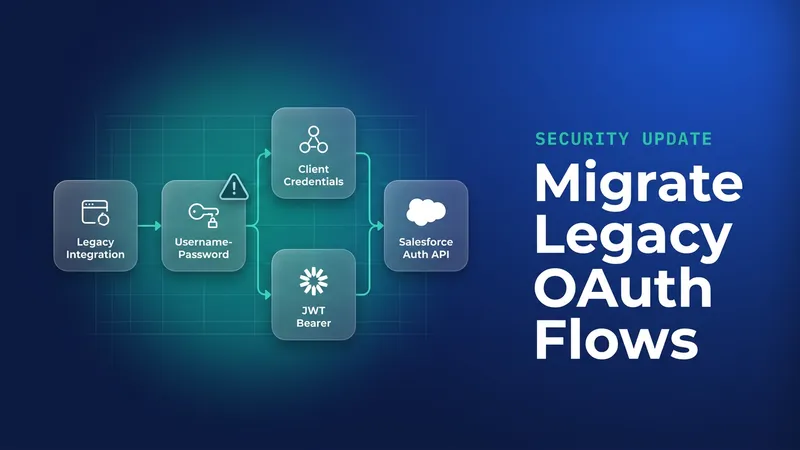
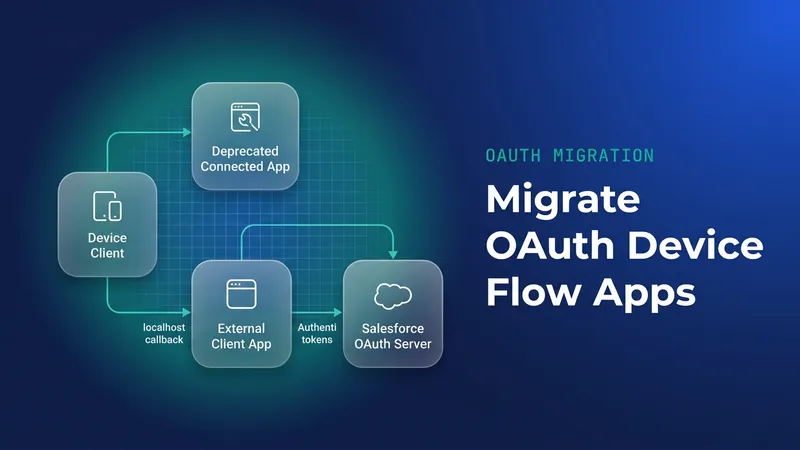
The username-password flow retires on the same Saturday; the username-password retirement guide covers its server-to-server replacements. The device flow is a separate, earlier deadline: its removal for connected apps, packaged ECAs and local ECAs without a callback URL lands on November 30, 2026 (device flow details). SOAP login() retires in Summer '27; one secondary source cites June 1, 2027, which Salesforce has not yet confirmed (SOAP login retirement).
What to watch for
- Tokens issued before enforcement should keep working until they expire or the session times out, so failures will show up at the login screen and in helpdesk tickets. I have not found the error text published, so brief the service desk early.
- A client missing from the Login History query may still be in use, given the six-month window.
- The authorization code arrives in the query string. Callback code that still reads
location.hashfinds nothing. - Validate
stateon every callback. PKCE protects the code; state protects the user from a forged login. - Check Setup > Release Updates monthly in case the enforcement date moves.
Leave a Comment